

Published by GFXToolz AI | Last updated: March 2026
Most websites bleed traffic through problems that take an afternoon to find and a few hours to fix. Broken links nobody noticed. A page Google can’t index. Images loading so slowly that half your mobile visitors left before seeing anything.
The frustrating part: none of this shows up obviously. Your site looks fine from the front end. Rankings just quietly underperform.
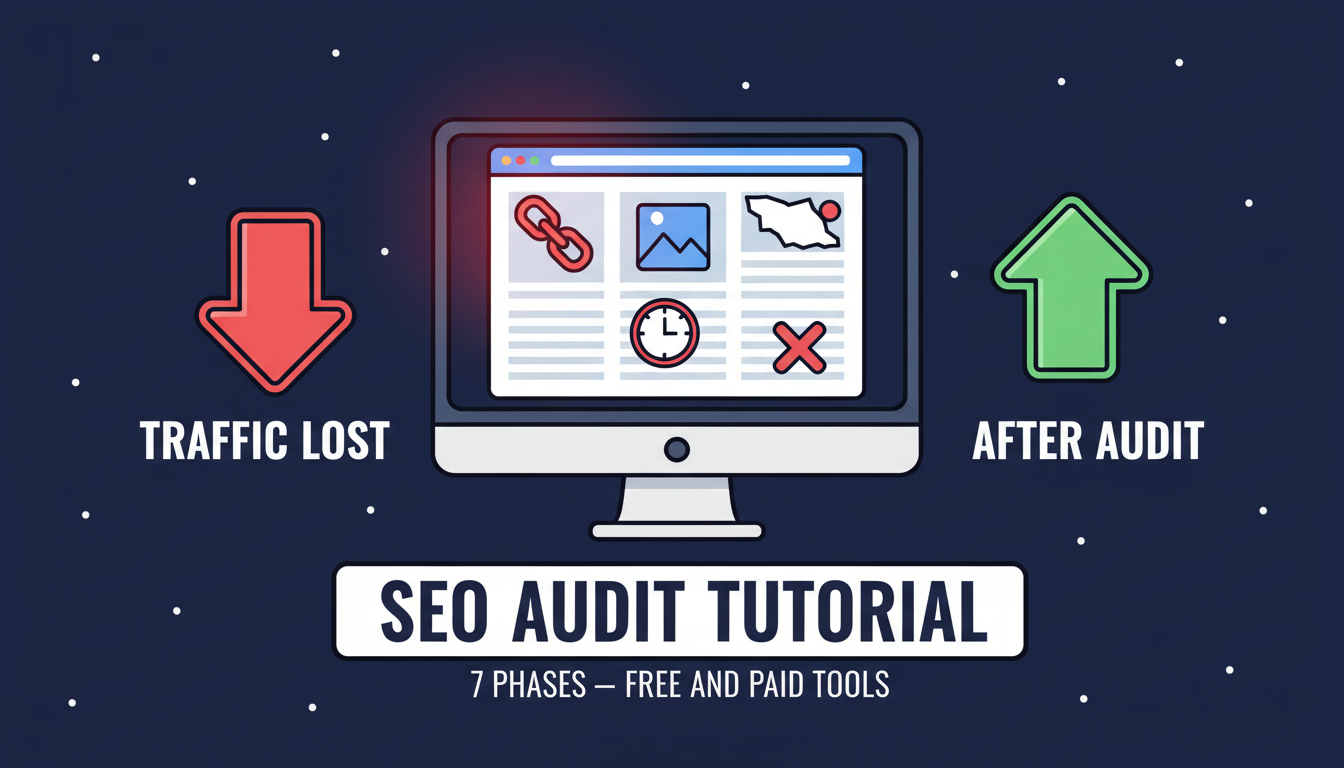
This guide walks through a 7-phase SEO audit you can run with free tools, starting today. You don’t need to be technical. You just need to do it.
This seo audit tutorial walks through all 7 phases using free tools starting today.
What is an SEO Audit Tutorial and When Do You Need One
An SEO audit is a structured check of your website across six areas: technical access, on-page optimisation, content quality, backlinks, loading speed, and mobile usability.
Run one on a site that’s never had one and you’ll almost certainly find things you didn’t know were broken. Most sites do.
Run one when:
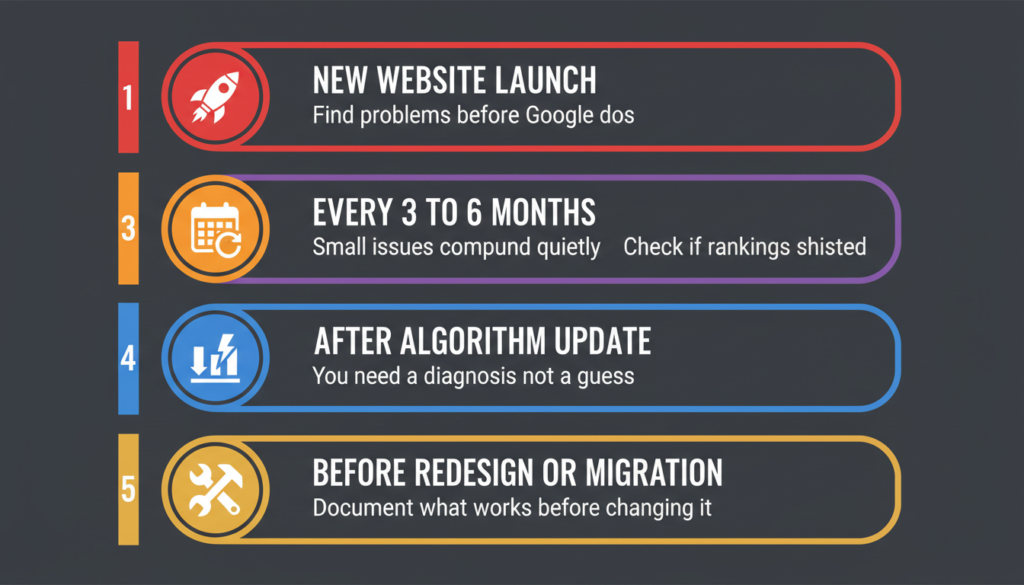
- You launch a new site — find problems before Google does
- Every 3–6 months on established sites — small issues compound quietly
- After a major Google algorithm update — check whether your rankings shifted and understand why
- When organic traffic drops unexpectedly — you need a diagnosis, not a guess
- Before a redesign or domain migration — document what’s working before you change things
Sites that run a full audit and follow through on the critical fixes typically see real traffic improvement within three months. The fixes are usually not interesting — broken links, missing metas, slow pages. The issue is that nobody checked.
Tools you’ll need
Free (covers 70% of the full audit):
- Google Search Console — indexing status, keyword performance, mobile issues, Core Web Vitals
- Google Analytics 4 — traffic patterns, user behaviour, content performance
- Google PageSpeed Insights — speed scores, Core Web Vitals breakdown, fix recommendations
- Screaming Frog Free — crawl up to 500 URLs, surfaces broken links, missing meta, duplicates
- Google Rich Results Test — validates structured data markup
- Google Mobile-Friendly Test — mobile usability check
- Ahrefs Webmaster Tools (free) — basic site audit and backlink data for your verified domain
Premium (the remaining 30%):
- Semrush Site Audit — 140+ automated checks, unlimited crawl depth, prioritised fix list
- Ahrefs Site Audit — comprehensive technical analysis plus content audit
Both are available through GFXToolz Basic at ₹423/month with 100+ other tools. Free tools fully cover Phases 2, 3, and 7. Phases 1, 4, 5, and 6 get meaningfully more thorough with premium tools — especially Phase 6, which free tools can’t do properly at all.
SEO Audit Tutorial: The 7-Phase Process
Phase 1: crawl your site
Tools: Screaming Frog Free (500 URLs) or Semrush Site Audit via GFXToolz (unlimited)
The crawl maps your site the way Google actually sees it — not how you intended it to look, not how the homepage appears to a logged-in admin. Pages you thought were live might be returning 404s. Pages you thought were private might be indexed. The crawl finds out.
Open Screaming Frog, enter your homepage URL, hit Start. Under 100 pages: done in a few minutes. 500-page site: 20–30 minutes.
When it finishes, check these tabs:
Response Codes — filter for 4XX. These are broken links. A page on your own site linking somewhere that no longer exists wastes link equity and sends users to an error. Fix these first.
Page Titles — look for “Missing,” “Duplicate,” “Too Long” (over 60 characters). Every page needs a unique title under 60 characters. Duplicates are common on WordPress category pages and pagination — usually auto-generated and never reviewed.
Meta Description — same check. Missing and duplicate are the flags. Meta descriptions don’t affect rankings but they directly affect whether someone clicks your result over the one above or below it.
H1 — “Missing” or “Multiple.” One H1 per page. Missing H1 on an important page is a clear on-page signal gap.
Images — filter for missing alt text. Helps Google, helps screen readers, easy to fix.
Redirect Chains. A → B → C is a chain. Slower to load, dilutes link equity. Anything beyond two hops should be collapsed to a direct redirect.
Export everything flagged to a spreadsheet. That’s your working list for the rest of the audit.
Phase 2: check indexing
Tool: Google Search Console
Crawlability is whether Google can reach your pages. Indexing is whether it chose to include them in search results. Both can fail without you noticing.
Go to Pages in the left sidebar. Look at the “Not indexed” section.
- Crawled, currently not indexed: Google visited but skipped it. Usually thin content or not unique enough. The fix is to improve the page, not to request indexing again immediately.
- Discovered, currently not indexed: Google knows it exists but hasn’t gotten to it. Often means no internal links pointing to it — Google follows links to find pages. Add links from relevant pages.
- Excluded by ‘noindex’ tag: Check whether this is intentional. Accidentally noindexed pages are more common than most people realise.
- Blocked by robots.txt: Verify this is deliberate.
Quick sanity check: search site:yourdomain.com in Google. The result count is a rough index of how many pages Google has. If you have 200 published posts and Google shows 50, something is wrong.
Check your XML sitemap in GSC under Sitemaps. Is it submitted? Any errors? Most CMS platforms generate one automatically. If yours isn’t submitted, that’s five minutes to fix right now.
Phase 3: speed and Core Web Vitals
Tools: Google PageSpeed Insights + Google Search Console Core Web Vitals report
For Indian readers — most browsing on mobile 4G — a slow page doesn’t just rank worse, it loses the reader outright. Five seconds on mobile is too long. Most people are already gone.
Open pagespeed.web.dev, test your URL, check mobile first.
| Metric | What it measures | Pass |
|---|---|---|
| LCP | Main content load time | Under 2.5s |
| INP | Response to user clicks | Under 200ms |
| CLS | Layout shift during load | Under 0.1 |
What’s actually killing your page speed:
Uncompressed images — the single biggest offender on most blogs. Before uploading anything, run it through Squoosh. Converting to WebP cuts file sizes 25–40% with no visible quality difference.
Render-blocking JavaScript — scripts loading before the page content does. Defer non-critical scripts. WP Rocket and NitroPack handle this automatically for WordPress.
No browser caching — static resources being re-downloaded on every visit. Fixable via hosting panel or a caching plugin.
Slow server response (TTFB) — if your host is oversold and underpowered, every page starts behind. Better hosting or a CDN is sometimes the only real answer.
Also check the Core Web Vitals report in GSC (Experience → Core Web Vitals). PageSpeed runs simulated tests. GSC shows you what’s actually happening for real users visiting your site.
Phase 4: on-page SEO review
Tools: Screaming Frog export + manual review (or Semrush On-Page SEO Checker via GFXToolz)
For your top 20–30 pages by traffic, go through each one:
Title tag. Has the keyword. Under 60 characters. Unique. Would you click it if you saw it in search results? This is the single highest-impact on-page element and the most commonly neglected.
Meta description. Under 160 characters. Describes what the reader actually gets. Not just the first sentence of the article copy-pasted in. Doesn’t affect rankings but directly affects clicks.
H1. Exactly one. Related to the target keyword. If there’s no H1, Google is guessing what the page is about.
Header hierarchy. H2s and H3s organising the page logically, with keyword variations where they fit naturally — not forced.
Internal links. Does this page link out to related content? Do those pages link back? Internal linking is how you pass authority around your site and how users keep reading.
URL. Short, readable, keyword included. Not /2023/04/17/?p=2841.
Images. Alt text on all of them. Primary image alt text contextually includes the keyword.
Content depth. Under 400 words with nothing unique is thin content. It rarely ranks and can drag down the pages around it.
Common problems: identical title tags across category and pagination pages, meta descriptions that are just the opening paragraph, pages with no H1 at all. These turn up constantly.
Phase 5: content audit
Tools: Google Analytics 4 + Google Search Console + manual review
Thin content. In Screaming Frog, sort by word count. Pages under 300 words with no real value: either expand them properly, merge them into a related page via 301 redirect, or delete and redirect. Leaving thin pages sitting on your site can hold down your stronger content.
Duplicate content. Check Screaming Frog’s Duplicate Content report. Also search an exact sentence from your pages in Google — you might find it scraped elsewhere with no canonical tag pointing back to you.
Outdated content. In GA4, sort posts by traffic. For your top 30, check the last updated date. A 2022 post about “best SEO tools” is probably citing platforms whose pricing and features have completely changed. Google notices freshness. Update it, change the date, re-submit for indexing.
Keyword cannibalization. In GSC, use the query filter to search your main target keywords. If two pages are both showing impressions for the same keyword and both sitting on page 2–3, they’re splitting attention rather than helping each other. Pick one, redirect the other, merge the content.
The GSC trick most people skip: filter your Queries report for impressions over 500/month and CTR under 2%. Your site ranks for these terms, just nobody’s clicking. Usually the title or meta description is weak. Rewrite both and re-submit.
Phase 6: backlink profile check
Tools: Google Search Console (basic) or Ahrefs/Semrush via GFXToolz (full)
In GSC (free): Links → Top linking sites, Top linked pages, Top linking text. This gives you the rough shape of your backlink profile.
With Ahrefs or Semrush: total referring domains, DR/Authority Score trend over time, new vs lost links over the past 30–60 days, anchor text breakdown.
Referring domains growing month over month is healthy. A sudden spike of low-quality links is worth noting — it can indicate negative SEO or spam. Anchor text that’s 70%+ exact-match keywords looks unnatural; real link profiles are varied.
One thing worth saying directly: unless you’ve received a Manual Action notification in Google Search Console for “Unnatural links pointing to your site,” Google is almost certainly ignoring your spammy links already. The disavow tool exists for specific, documented problems — not as routine hygiene. Beginners who use it freely tend to disavow legitimate links they simply don’t recognise, making things worse.
For a full backlink workflow, the Complete Guide to Backlink Analysis in this series covers it properly.
Phase 7: mobile and AI readiness
Tools: Google Mobile-Friendly Test + actual phone test + GSC Mobile Usability report
Google ranks your site based on its mobile version. If mobile is broken, rankings are broken — including for desktop searches.
Run the Mobile-Friendly Test. Check the Mobile Usability report in GSC. Then pick up your phone and actually use the site. Emulation tools miss things a real device catches immediately.
Look for: text readable without zooming, buttons big enough to tap cleanly, no horizontal scrolling, images and video resizing properly, forms actually usable on a small screen.
AI readiness — new for 2026:
Google AI Overviews, ChatGPT, and Perplexity are answering search queries by pulling content directly from web pages. A citation in an AI answer doesn’t always produce a click, but it’s real exposure — and most sites aren’t set up for it yet.
What helps: a clear, direct answer in the first 100–150 words of each page (AI extracts these for snippet answers), FAQ schema, HowTo schema on instructional content, Article schema on blog posts.
Run key pages through Google’s Rich Results Test to confirm your structured data is valid and rendering correctly.
SEO Audit Tutorial: What to Fix First
Twenty to a hundred issues on a spreadsheet is overwhelming if you try to work through it randomly. Here’s the order that matters.
This week:
- Pages Google can’t access at all (robots.txt blocks, server errors)
- Indexing errors on important pages
- Mobile usability failures on key pages
- Broken internal links on high-traffic pages
This month:
- Missing or duplicate title tags and meta descriptions
- LCP over 4 seconds on mobile
- Thin and duplicate content pages
- Missing H1 tags on important pages
This quarter:
- Outdated posts that need a real refresh
- Anchor text distribution if it’s heavily skewed toward exact-match
- Missing structured data (FAQ schema, Article schema)
- Internal links pointing to orphan pages
Ongoing:
- AI readiness structured data
- Alt text gaps on low-traffic pages
- URL structure cleanup (only if the traffic impact is acceptable)
- Secondary speed optimisations
Free vs premium: what each actually covers
| Phase | Free tools | Premium via GFXToolz (₹423/mo) |
|---|---|---|
| Crawl | Screaming Frog (500 URLs) | Semrush Site Audit (unlimited, 140+ checks) |
| Indexing | Google Search Console | Same — free is fine |
| Speed | PageSpeed Insights | Same — free is fine |
| On-page | Manual review from crawl data | Semrush On-Page SEO Checker (automated) |
| Content | GA4 + manual review | Semrush Content Audit |
| Backlinks | GSC basic only | Ahrefs + Semrush — full DR, anchor text, toxicity |
| Mobile | Google tests | Same — free is fine |
Indexing, speed, and mobile: free tools handle these completely. The crawl, on-page, and content phases are more thorough with premium tools. Backlinks specifically — free tools can’t do this properly. That’s the gap that matters most once you’re past the basic technical fixes.
GFXToolz Basic at ₹423/month gives you both Semrush Site Audit and Ahrefs Site Explorer. One paid client audit covers the subscription cost for months.
FAQ
How long does an SEO audit take? With free tools on a site under 500 pages: 2–4 hours. All 7 phases with premium tools: 4–8 hours. A blog with under 100 posts is doable in one focused afternoon. Plan for a full audit every 3–6 months.
Can I do this without paying for anything? Most of it. Google Search Console, Screaming Frog free, PageSpeed Insights, and GA4 handle the bulk. The gaps are Screaming Frog’s 500-URL cap and backlink analysis, which free tools can’t do properly. GFXToolz at ₹423/month solves both.
What should I fix first? Indexing errors first — pages Google can’t access can’t rank. Then broken internal links, then missing meta titles and descriptions, then mobile page speed, then thin/duplicate content. That sequence gets you the most ranking impact per hour of work.
How often should I run an audit? Full audit every 3–6 months. Monthly: a quick check in GSC for new indexing errors and Coverage issues, and PageSpeed for any regression. Run an immediate audit after any major site change — redesign, migration, new hosting — and after significant Google algorithm updates.
What’s the best free audit tool? Google Search Console, by a distance. Real data directly from Google — indexing status, Core Web Vitals, mobile usability, keyword performance. Screaming Frog free is best for technical crawling. Together they cover about 70% of a complete audit.
Do I need to check for AI search in 2026? It’s worth 30 minutes. Google AI Overviews, ChatGPT, and Perplexity extract answers from web pages to respond to queries directly. Clear answers in the first paragraph, FAQ and HowTo schema, and valid structured data all help your pages get cited. Run key pages through the Rich Results Test to check whether your structured data is valid.
The bottom line
None of the problems an audit surfaces are glamorous. Broken links, missing metas, slow images, orphan pages. This is maintenance work, not strategy — and that’s probably why most sites haven’t done it. Sites that go through it methodically tend to see real ranking movement within a few months. The work isn’t hard. It’s just tedious enough that most people put it off indefinitely.
Start with Phase 1 this week using Screaming Frog for free. Work through the list in priority order.
When you hit the limits of free tools — sites over 500 pages, full backlink analysis, automated on-page auditing — access Semrush and Ahrefs through GFXToolz starting free at gfxtoolz.ai.
Also read:
- The Complete Guide to Backlink Analysis for Beginners
- How to Do Keyword Research in 2026: Complete Beginner Guide
- 10 Free SEO Tools Every Blogger Should Use in 2026

Leave a Comment