


Published by GFXToolz AI | Last updated: March 2026
YouTube SEO tools can make the difference between uploading videos that disappear and publishing videos that actually rank. If you’re trying to grow your channel in 2026, tools like vidIQ and TubeBuddy can help you find better keywords, optimize titles, improve thumbnails, and track performance more effectively.
95% of YouTube videos get fewer than 1,000 views. The ones that break through are usually well-researched, not just well-made. Keyword research, titles that match what people search for, and thumbnail testing separate the channels that grow from the ones that post into the void.
This guide covers how to use vidIQ and TubeBuddy to find keywords, optimise your videos, and track rankings — six steps from keyword research to ranking. We’ll also cover how to access both tools affordably if you’re an Indian creator working with a limited budget.
Why YouTube SEO still matters in 2026
YouTube’s algorithm optimises for four signals: click-through rate, watch time, keyword relevance, and session time. SEO directly influences the first and third.
Keyword research determines whether your video shows up in search at all. Title and thumbnail quality determine whether someone clicks when it does. Get those right and the algorithm has something to amplify.
Content here lasts. Unlike Instagram Reels or tweets that disappear from feeds within a day or two, a well-optimised YouTube video keeps generating views for months or years. A how-to video targeting a stable search query keeps getting traffic as long as people search for it. Post something good in 2024 and it might still be your top traffic driver in 2026.
Double visibility. YouTube videos appear in Google search results too — in video carousels and featured snippets. Rank well on YouTube AND in Google and you’re reaching two different audiences with one video. The keywords that trigger Google video results are identifiable with tools like Ahrefs and Semrush, which is why pairing YouTube tools with web SEO tools is worth doing.
The India opportunity. India is YouTube’s largest market by user count. Hindi-language and regional-language content is growing fast, yet most Indian creators upload without any SEO work at all. Low competition meets high search volume across Hindi and regional language queries. For creators willing to run even basic keyword research, this is a largely untapped opening.
vidIQ vs TubeBuddy: what each one actually does
vidIQ — for research
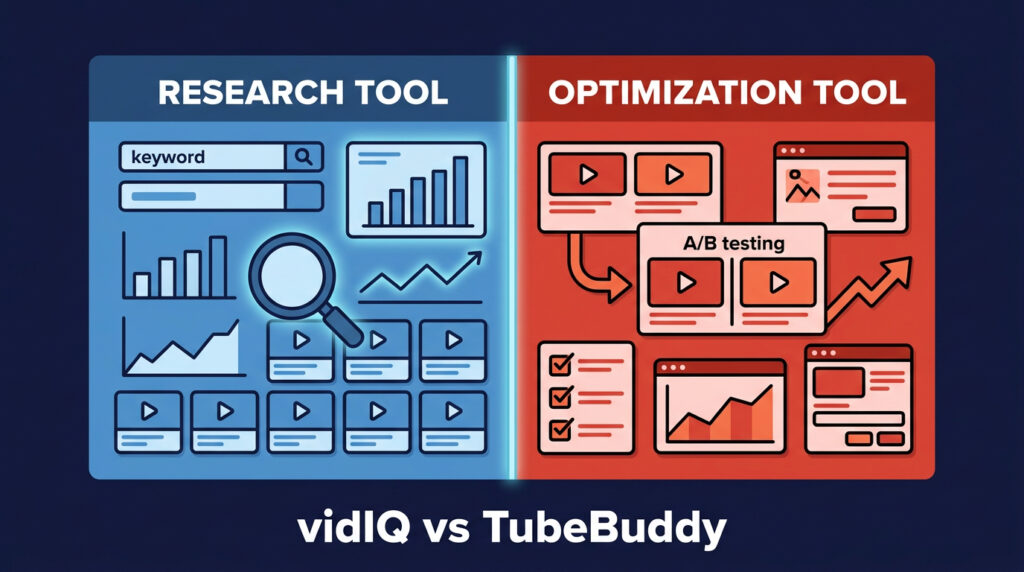
vidIQ is primarily a research tool. Use it before and during content creation.
Keyword Inspector shows actual YouTube search volume numbers — real monthly search counts, not relative scores. Enter any topic and get volume, competition score, and an overall keyword score. This is the feature that makes vidIQ worth paying for.
Daily Ideas generates topic suggestions based on your channel’s niche and recent performance. Useful when you’re stuck on what to make next and want ideas that already have documented search demand.
Competitor tracking lets you monitor channels in your niche: their upload frequency, views-per-hour on recent uploads, tags they use, and how quickly new videos gain traction. Competitive intelligence built directly into your YouTube workflow.
Trend alerts notify you when topics in your niche are picking up. Getting a video up early on a trending topic — before the niche fills with it — is one of the faster ways to grow.
TubeBuddy — for optimisation and testing
TubeBuddy is primarily an optimisation and testing tool. Use it after upload.
A/B thumbnail testing is the feature that makes TubeBuddy irreplaceable. Upload two or three thumbnail variants, TubeBuddy shows each to different segments of your audience, and reports which version gets higher CTR. This is the only rigorous way to know what works — everything else is guessing based on personal preference.
Best-practice audit runs a checklist across your video: title, description, tags, cards, end screens. Specific recommendations rather than generic advice.
Bulk processing updates cards, end screens, descriptions, or tags across hundreds of videos at once. For creators with large back catalogs, this turns a day of manual work into twenty minutes.
Tag explorer finds tags competitors use that are driving rankings. Surfaces options you wouldn’t have thought to target.
Use both
vidIQ and TubeBuddy do different things. vidIQ is for research — before and during creation. TubeBuddy is for testing and maintenance — after upload. Most serious creators in competitive niches run both simultaneously.
Combined retail cost: $12–$103/month depending on plan tiers. Through GFXToolz at ₹423/month, both are accessible alongside Ahrefs, Semrush, Canva Pro, and 100+ other tools. That’s the complete YouTube creator toolkit — research, cross-platform SEO, and thumbnail design — at a price point that makes sense for Indian creators.
The 6-step YouTube SEO workflow
Step 1: find keywords people are actually searching for
Before you record anything, confirm that people search for your topic on YouTube. Uploading without checking is the most common reason videos get zero views — not bad production quality, just nobody searching for the topic.
vidIQ Keyword Inspector:
- Open vidIQ and go to Keyword Inspector
- Enter your topic (e.g., “group buy SEO tools”)
- Review: YouTube Search Volume (monthly searches), Competition Score (0–100, lower is better), Overall Score (target 50+ for growing channels)
- Check related keywords in the sidebar — variations worth including in your description
- Filter for Volume 1,000+ and Competition under 50
YouTube Autocomplete: Type your topic in the YouTube search bar and stop before pressing Enter. Every suggestion is a real search query — more current than any database because it reflects searches happening right now. “youtube seo tools for beginners,” “youtube seo tools free,” “youtube seo tools 2026” are separate keyword opportunities surfacing from a single topic.
Cross-reference with Google: Using Ahrefs or Semrush (both available through GFXToolz), check whether your video keyword also has Google search demand. If Google is already showing a video carousel for that query, it means Google is actively surfacing videos in that search — double visibility from one piece of content. Most YouTube SEO guides skip this entirely.
The sweet spot: 2,000–10,000 monthly YouTube searches, Competition Score under 50, and Google video carousel presence. Not every keyword hits all three. Two of three makes a solid target.
Step 2: analyse what’s already ranking
Spend 20 minutes understanding what currently ranks for your target keyword before recording. This tells you what to cover, how long to make it, and where the gaps are.
vidIQ extension on competing videos: Search your target keyword on YouTube. Click the top 5 results. The vidIQ extension shows tags, SEO score, views per hour (current momentum), and engagement rate.
TubeBuddy Videolytics: Shows the same video’s tags, estimated keyword rankings, and social share data. Cross-referencing vidIQ and TubeBuddy on the same video gives a fuller picture.
For each top-5 video, note:
- View count: 50,000+ views confirms real demand for the topic
- Tags: what keyword targets the creator considered relevant
- Video length: if top-ranking videos average 12–15 minutes, a 4-minute video probably won’t compete
- Content quality: is it comprehensive or surface-level? Is the data from 2023 or current?
- What’s missing: what does the comments section keep asking about that the video doesn’t address?
That last question is your opening. A video that answers what the top-ranking videos miss — with current information and real examples — has a specific angle for outranking them.
Step 3: optimise title, description, and tags
Title: Include your primary keyword near the beginning. Under 60 characters for full visibility in search (longer titles get cut off on most devices). Make it specific and concrete.
Weak: “YouTube SEO Tools Tutorial” Better: “5 Free YouTube SEO Tools That Actually Work in 2026” Stronger: “How I Grew My Channel 300% Using These 3 YouTube SEO Tools”
The difference isn’t just keyword placement — it’s specificity and implied payoff. A strong title answers “why should I watch this?” before the viewer clicks.
Description: The first 2–3 lines appear before “Show More” in search results and on the video page. Your primary keyword and the main value proposition go here.
Full description: 200–300 words minimum. Include your primary keyword 2–3 times naturally. Add 3–5 secondary keywords. Add timestamps — YouTube reads chapter titles as additional keyword context for each section. Link to related videos at the end.
vidIQ’s description suggestions show keyword placement recommendations based on what’s working for top-ranking videos in your niche.
Tags: Tags have less direct ranking impact than titles and descriptions. They help YouTube categorise your video for related search and recommendation placement. Use 5–8 highly relevant tags per video.
Structure: 1–2 broad tags (“youtube seo”) + 3–4 specific tags (“youtube seo tools for beginners 2026”) + 1–2 channel or brand tags.
TubeBuddy’s tag suggestions populate from your title and top-performing videos. vidIQ’s extension shows competitor tags on any video you visit. Use the ones genuinely relevant to yours.
Captions: YouTube reads captions for keyword context. Auto-generated captions are frequently inaccurate, especially for Indian English accents and Hindi content. Manual caption uploads give you an SEO edge and improve accessibility. If you script your videos, the script becomes your caption file with minimal editing.
Step 4: create a thumbnail that gets clicked
The thumbnail is the most important factor for click-through rate. YouTube shows your video to a small test audience first — strong CTR gets it pushed to more viewers, weak CTR and it dies regardless of content quality or how well everything else is optimised.
Technical requirements: 1280×720 pixels minimum, 16:9 aspect ratio, under 2MB, JPG/PNG/GIF format.
Design principles:
High contrast between foreground and background — your thumbnail competes with dozens of others simultaneously. Text: 3–5 words maximum, large enough to read on a phone screen (where most Indian YouTube viewers watch). A human face showing strong emotion draws attention naturally. Curiosity and surprise expressions outperform neutral faces. Consistent visual style across your channel builds brand recognition and increases CTR on new uploads from returning viewers.
vidIQ AI Thumbnail Generator creates thumbnail concepts from text prompts. Useful for generating options quickly before refining in Canva.
TubeBuddy A/B Thumbnail Testing: Upload 2–3 thumbnail variants. TubeBuddy shows each to different segments of your audience and reports which produces higher CTR after a set period. The results are often surprising — what you’d personally click and what your audience clicks are frequently different things.
For Indian creators: testing Hindi text on thumbnails versus English text often reveals surprising CTR differences depending on the audience.
Step 5: optimise for retention
Keyword research and optimisation won’t sustain a channel if viewers leave after 30 seconds. YouTube’s algorithm weights watch time and retention heavily. It pushes content that keeps people on the platform.
Hook in the first 15 seconds. State what the viewer will learn, show the end result, or ask a compelling question. The opening 15 seconds determine whether most viewers stay. Don’t start with an intro animation or a request to subscribe — these are the fastest way to lose viewers before they see your actual content.
Pattern interrupts every 30–60 seconds. A cut, a visual change, a question directed at the viewer, a new segment, a statistic on screen. Anything that resets attention. Keep the editing rhythm active — Indian viewers on mobile are especially susceptible to losing interest on long static shots.
Timestamps and chapters. Add chapters in your description (e.g., “0:00 Introduction, 1:30 Finding Keywords, 4:15 Writing Titles”). Chapters help viewers navigate to what they want, increasing the chance they find value and stay. YouTube also reads chapter titles as keyword context.
Target 50% average view duration or above. Check YouTube Studio → Analytics → Engagement for your videos’ retention curves. Where exactly do viewers drop off? That timestamp is where your video loses them. Review that section and figure out why.
Step 6: track, test, and improve
Publishing isn’t the end of the workflow.
vidIQ dashboard: Track keyword rankings over time. Monitor views-per-hour velocity on new uploads — strong velocity in the first 24–48 hours signals to the algorithm that the video has momentum. Get alerts when rankings change.
TubeBuddy A/B tests: For videos underperforming on CTR, swap the thumbnail or title and measure the change over two weeks. Even a 2–3% CTR improvement on a video getting 10,000 impressions per month means 200–300 additional clicks. Across a catalog of 50+ videos, this compounds.
YouTube Studio weekly check:
- Impressions and CTR: are people seeing and clicking?
- Average view duration: are they watching enough?
- Traffic sources: YouTube Search (keyword traffic) or Suggested (recommendation traffic)?
- New keyword rankings: which queries is the video appearing for that you didn’t specifically target? These reveal natural keyword associations worth building dedicated content around.
Monthly review questions: Which videos grew this month? Make more of that content. Which declined? Update the title, thumbnail, or add a pinned comment with updated information. Which keywords are you approaching position 5–10 for? Improve those specific videos to push into the top 5.
How to access vidIQ and TubeBuddy affordably
| Tool | Free | Mid tier | Top tier |
|---|---|---|---|
| vidIQ | 3 searches/day | Pro $7.50/mo | Boost $39/mo |
| TubeBuddy | Very limited | Pro $4.50/mo | Legend $24.50/mo |
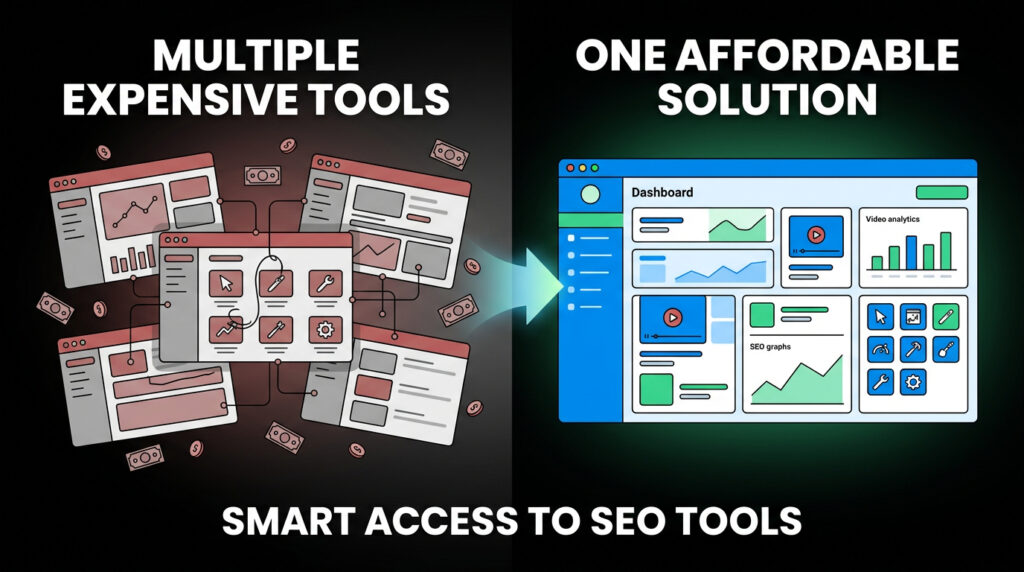
Combined at mid tiers: $12/month. At top tiers: $63/month or more.
Group buy options: vidIQ is available through Toolsurf ($0.99–$3/month standalone) and GroupSEOTools.net ($4.95/month). GFXToolz includes vidIQ in its library starting at ₹423/month alongside Ahrefs, Semrush, Canva Pro, and 100+ other tools.
For Indian YouTube creators who also need web SEO tools and design tools: the complete stack — vidIQ, Semrush/Ahrefs for Google keyword cross-referencing, and Canva Pro for thumbnails — is all in one GFXToolz subscription. Less than the cost of vidIQ Boost alone at retail.
Free alternatives and their real limits: vidIQ free gives 3 keyword searches per day — enough to test the tool, not enough for regular content planning. TubeBuddy free is heavily restricted on the features that matter most (A/B testing is paid-only). YouTube Studio is genuinely good for analytics on your own channel, but gives you nothing on competitors or keyword research.
5 YouTube SEO mistakes Indian creators make
1. Uploading without keyword research. If nobody searches for your topic, execution quality doesn’t matter. Check YouTube search volume before recording.
2. Generic or untested thumbnails. Text-only thumbnails or auto-generated stills produce low CTR. If you’re not designing custom thumbnails and testing them, most of your potential views aren’t reaching the video.
3. Empty descriptions. “Check out my new video!” tells YouTube nothing. Descriptions are SEO real estate. 200–300 words minimum, keyword-included, with timestamps.
4. Ignoring Hindi and regional language keywords. India’s Hindi-language YouTube audience is enormous and far less competitive than English content in most niches. A Hindi-language SEO tutorial or product review reaches a much larger audience with much less competition. Most Indian creators making English content have never checked Hindi keyword volumes.
5. Optimising for subscribers instead of watch time. “Subscribe for more!” is the standard call to action and among the least effective for growth. YouTube’s algorithm is driven by watch time. Ask viewers to watch a specific related video at the end — this increases session time, which tells the algorithm your channel is worth recommending.
FAQ
What are the best YouTube SEO tools in 2026?
vidIQ for keyword research, competitor analysis, and trend alerts. TubeBuddy for A/B thumbnail testing, optimisation audits, and bulk processing. YouTube Studio for free analytics on your own channel. Ahrefs and Semrush for cross-platform keyword research — finding video topics that also have Google search demand. All are available affordably through group buy platforms like GFXToolz.
Is vidIQ worth paying for?
The free tier (3 keyword searches/day) is too limited for active channel growth. vidIQ Pro at $7.50/month is solid value for growing channels. Through GFXToolz at ₹423/month, you get vidIQ alongside Semrush, Ahrefs, and Canva Pro. The keyword volume data alone justifies the cost if YouTube is part of your content strategy.
Should I use vidIQ or TubeBuddy?
Both. They do different things. vidIQ for research before and during creation, TubeBuddy for testing and management after upload. Through group buy access, you don’t need to choose — both are accessible without separate subscriptions.
How do I find YouTube keywords?
vidIQ Keyword Inspector for actual YouTube search volumes. YouTube Autocomplete for real-time search suggestions. TubeBuddy’s tag explorer for competitor keyword discovery. Ahrefs or Semrush to check whether video keywords also appear in Google’s video carousel results. Target keywords with YouTube volume 1,000+ and Competition Score under 50.
Do tags still matter in 2026?
Less than titles and descriptions, but they still help YouTube categorise your video for related search and recommendation placement. Use 5–8 specific, relevant tags per video. Stuffing 30+ generic tags doesn’t help and dilutes your video’s topical signal. Spend more optimisation time on title, thumbnail quality, and retention.
Can I access vidIQ through group buy in India?
Yes. GFXToolz includes vidIQ starting at ₹423/month alongside Ahrefs, Semrush, Canva Pro, and 100+ other tools. Toolsurf offers vidIQ standalone from $0.99/month. For Indian creators who also need web SEO tools and design tools, GFXToolz provides better overall value.
The bottom line
YouTube SEO comes down to three things: find what people search for, optimise your video for that search, and keep viewers watching. Most creators skip the first step entirely, half skip the second, and almost nobody tests thumbnails. That’s why the gap between the channels that grow and the ones that don’t is so predictable.
vidIQ handles research. TubeBuddy handles testing. Add Ahrefs and Semrush for cross-platform keyword data and Canva Pro for thumbnails, and you have the complete stack. All of it is accessible through GFXToolz at ₹423/month — less than vidIQ Boost alone at retail.
Start with the 6-step workflow above. Access vidIQ, TubeBuddy, Ahrefs, Semrush, and Canva Pro at gfxtoolz.ai.
Also read:

Leave a Comment