


Published by GFXToolz AI | Last updated: March 2026
Your competitor just uploaded a clean product demo video to their store.
The lighting looks premium. The camera movement feels smooth. The product is shown in a lifestyle setup like it came straight out of a proper brand shoot. At first glance, it looks like they hired a videographer, booked a studio, brought in a model, and spent a serious amount on production.
But chances are… they didn’t.
They probably just used a Kling AI video generator.
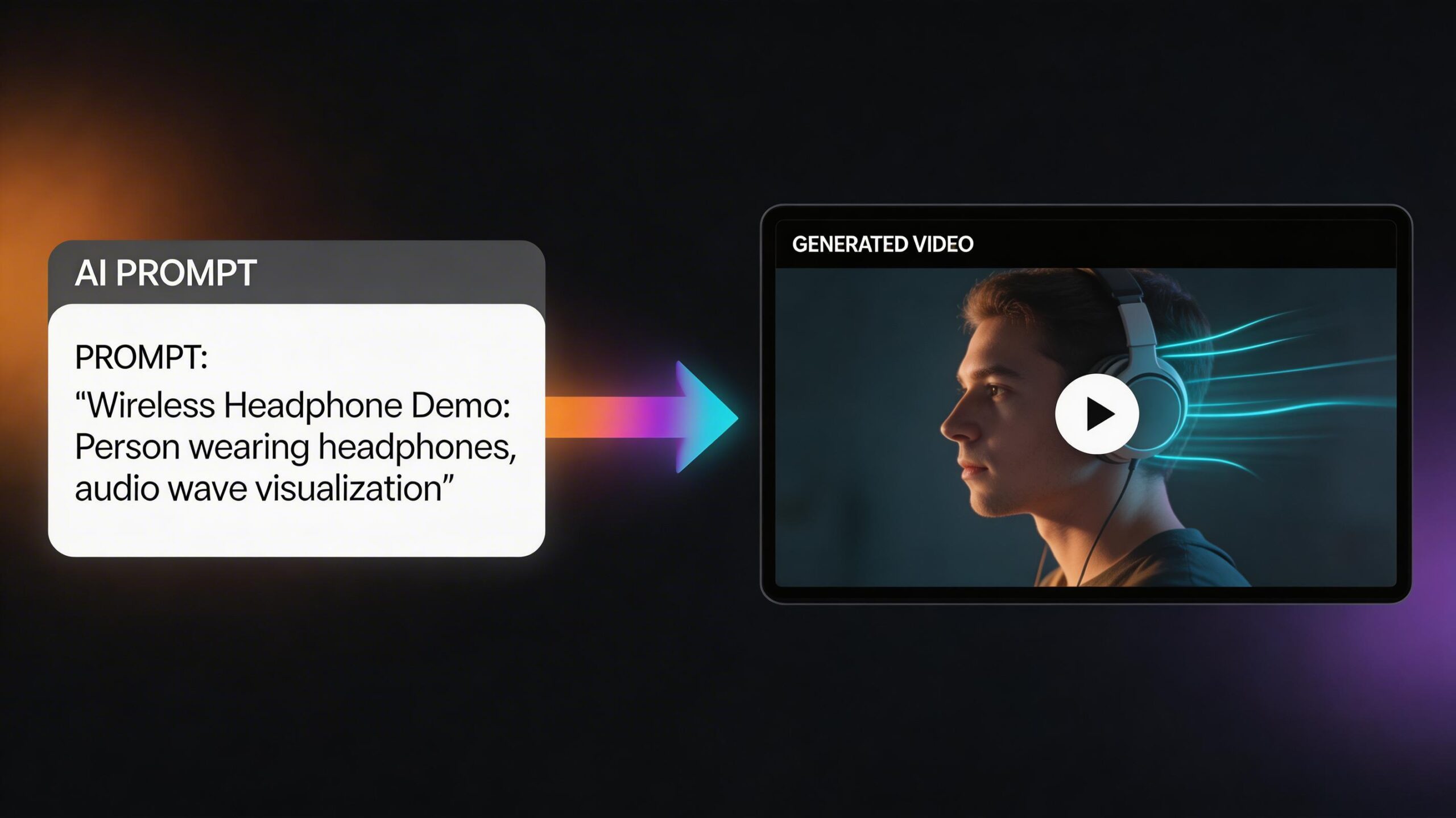
That’s what’s changing in 2026. Video content used to feel expensive, slow, and completely out of reach for small creators and store owners. But now, with tools like Kling AI video GFXToolz, you can turn a simple idea or prompt into a polished-looking product or marketing video in just a few minutes.
And honestly, that changes a lot.
Because if you’re a freelancer, small business owner, dropshipper, or content creator, spending ₹20,000–₹50,000 on every product video just isn’t realistic. Hiring a videographer, arranging a shoot, editing clips, adding transitions — all of that sounds great until you look at the budget.
That’s why tools like this are becoming a big deal in the AI video generator India 2026 space.
Instead of waiting weeks to make one decent promo video, you can now create product demos, reels, ad-style clips, and short marketing videos without needing a camera, studio, or editing software.
In this Kling 2.5 guide 2026, I’ll show you how to actually use it properly on GFXToolz — not just what buttons to click, but how to write better prompts, what kind of videos work best, and how to get results that feel useful for real content and real marketing.
And if you’re comparing models before committing to one workflow, I’ll also touch on the practical side of Kling vs Wan video generator so you can understand which one makes more sense depending on the kind of videos you want to create.
By the end of this guide, you’ll know how to use the Kling AI video generator on GFXToolz to create product demos, social media reels, and marketing videos that actually look usable — with step-by-step prompts you can copy and try immediately.
This guide covers everything about the kling AI video generator on GFXToolz
Kling AI Video Generator: What Kling 2.5 Actually Is
Kling is an AI video generation model built by Kuaishou, one of China’s largest technology companies and the parent of the TikTok-equivalent Kuaishou platform. They have serious infrastructure investment in video at scale, and it shows in the output quality.
Kling 2.5 Turbo launched in September 2025 with major speed and quality upgrades over the previous version:
- 1080p video resolution at 30–48 fps
- Videos up to 3 minutes in length (using the extension feature)
- 40% faster generation than Kling 2.0
- Two generation modes: text-to-video and image-to-video
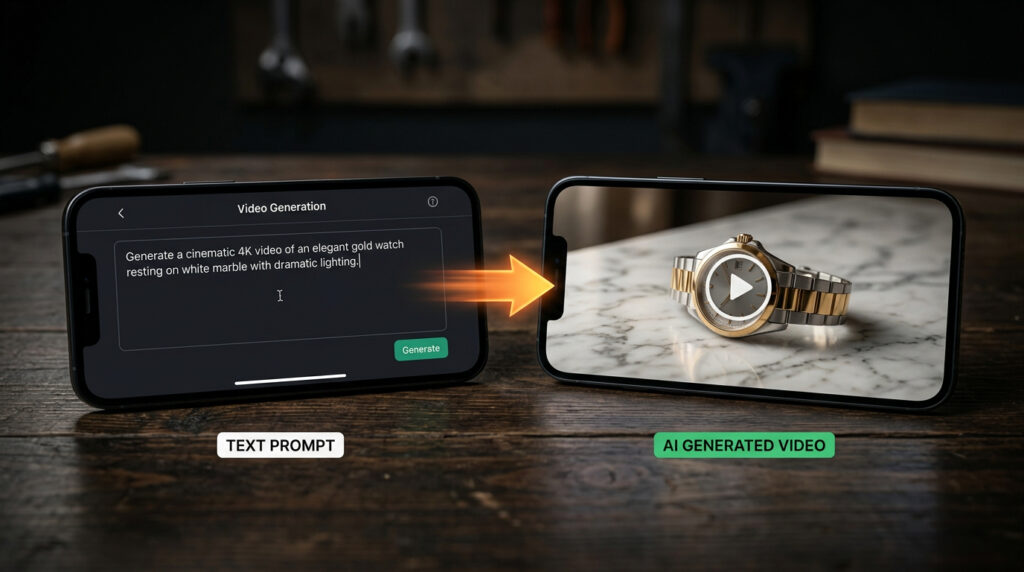
Text-to-video: Describe a scene in a prompt and Kling generates video footage of it. “A product being placed on a marble table with soft lighting” produces 5–10 seconds of cinematic footage.
Image-to-video: Upload a still photo and Kling animates it with realistic motion. Upload a product photo and get a video showing the product from different angles. Upload a landscape and get gently moving clouds and foliage.
The Elements feature lets you upload up to 4 reference images to maintain character or product consistency across multiple videos. If you want the same person or product to appear across a series of content, Elements makes that possible without the subject changing appearance between videos.
Kling 2.6 (December 2025) added native audio generation — dialogue, sound effects, and ambient noise generated alongside the video in a single pass. No separate audio step in post-production.
22 million+ creators use Kling globally, with 168 million+ videos generated. The numbers suggest it’s working.
GFXToolz AI Studio includes Kling as part of its 40+ AI model suite from ₹423/month. You don’t need a separate Kling subscription.
How to access Kling on GFXToolz
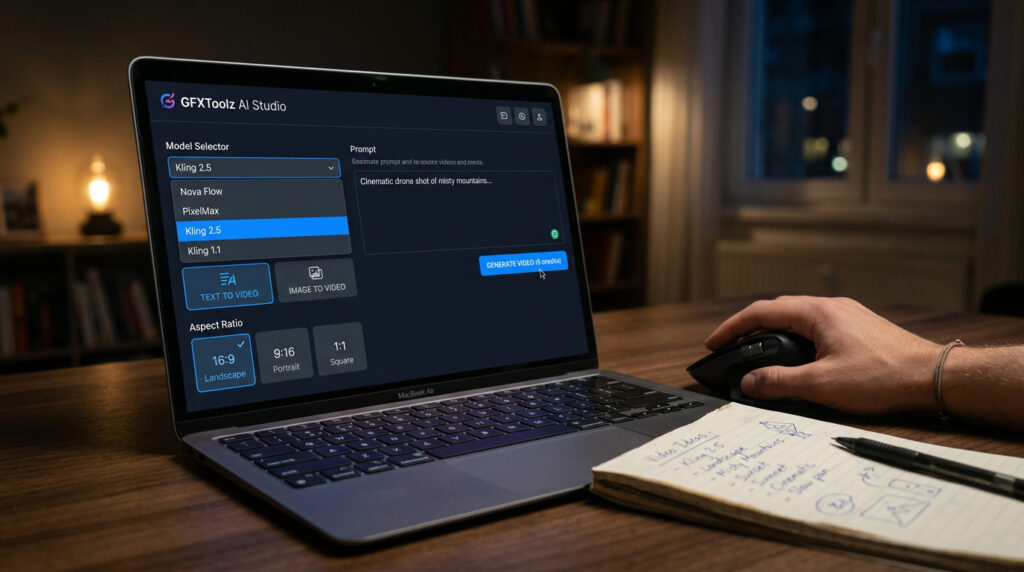
- Sign up at gfxtoolz.ai. Free tier available, no credit card required. Basic plan starts at ₹423/month.
- Log into your dashboard and click AI Studio from the main navigation.
- Select Kling 2.5 (or the latest available version) from the model list. Wan 2.2 is also available — more on the comparison below.
- Choose your generation mode: Text-to-Video for new scenes from a written description, Image-to-Video for animating a photo you already have.
- Set your video parameters: duration (5 or 10 seconds per generation), aspect ratio (16:9 for YouTube and blog embeds, 9:16 for Instagram Reels and TikTok, 1:1 for Instagram feed posts), and quality mode (Standard or Professional).
- Write your prompt. See the prompt section below.
- Click Generate. Processing takes 1–5 minutes depending on complexity, quality settings, and server load.
- Download your video. Paid plan videos have no watermark.
Setup takes under 5 minutes to start using the kling AI video generator
Plan comparison:
| Plan | Price | Kling access | Other tools |
|---|---|---|---|
| Free | ₹0 | Limited test generations | Limited AI Studio |
| Basic | ₹423/month | Moderate daily video credits | 100+ SEO, design, AI tools |
| Standard | ₹550/month | Extended video access | 120+ tools |
| Premium | ₹846/month | Full AI Studio: Kling + Wan + Nano Banana + Flux + 40+ models | 146+ tools |
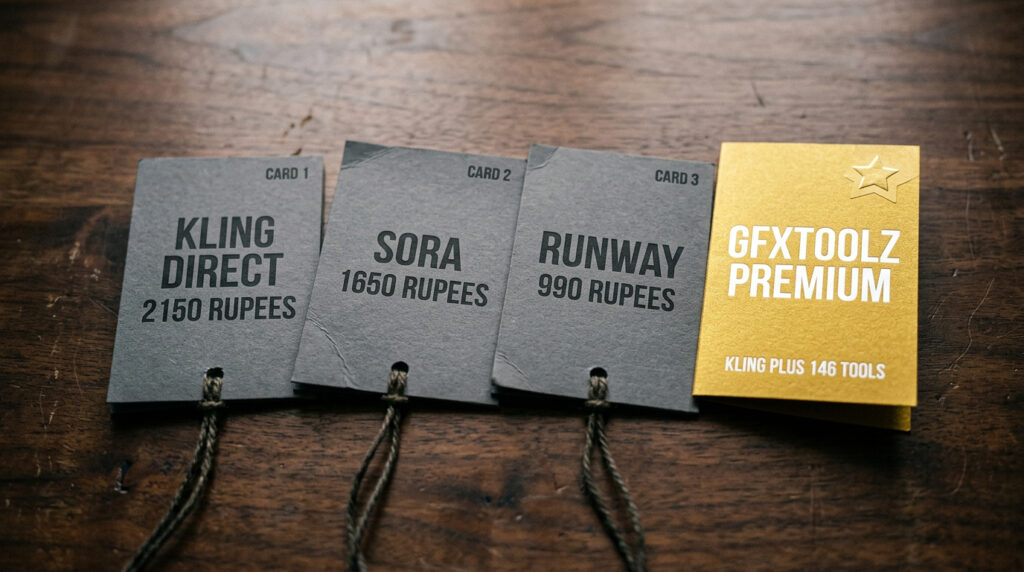
Direct cost comparison: Kling’s Pro plan is $25.99/month (~₹2,150) for video generation only. GFXToolz Premium at ₹846/month gives you Kling plus Wan 2.2 plus Nano Banana Pro plus Flux 2 plus Semrush plus Ahrefs plus 140 other tools — less than half the cost of Kling alone.

5 Video Types with the Kling AI Video Generator
1. Product demo video
Show your product in action without a photoshoot, a model, or any physical setup.
Prompt:
A close-up of a pair of wireless earbuds being carefully placed on a white marble table. Camera slowly dollies forward. Soft studio lighting from above with gentle shadows. The earbuds case opens automatically revealing the earbuds neatly seated inside. Shallow depth of field with background slightly blurred. Premium product commercial aesthetic. 16:9 format, 10 seconds.
Use for: E-commerce product pages, WhatsApp Business catalog, Instagram Shopping, Amazon/Flipkart listings.
Product demos are the most popular use case for the kling AI video generator
2. Social media reel
Short-form video for Instagram, YouTube Shorts, or Facebook Stories.
Prompt:
A young Indian woman in a bright yellow salwar walks confidently through a colourful bazaar street. Camera tracks her from a low angle at her level, moving with her. She glances over her shoulder and smiles toward the camera. Warm golden afternoon light. Busy market background softly blurred. Energetic and authentic mood. 9:16 vertical format, 5 seconds.
Use for: Instagram Reels, YouTube Shorts, festival campaign content, brand awareness clips.
3. Tutorial or explainer intro
Professional opening clip for how-to blog content or YouTube tutorials.
Prompt:
Over-the-shoulder perspective. A person sits at a clean modern desk and opens a laptop. The screen lights up showing a colourful SEO analytics dashboard with bar charts and a rising line graph. Camera slowly pushes in toward the laptop screen as it opens. Warm indoor lighting. Professional workspace atmosphere. 16:9 format, 8 seconds.
Use for: YouTube tutorial intros, blog post embedded videos, online course content, webinar openers.
Tutorial intros are a reliable use case for the kling AI video generator
4. Before and after transformation
Case study content showing contrast and results.
Prompt:
Split screen divided vertically down the centre. Left side: a cluttered laptop screen showing a website with red error warnings and a declining graph. Dim moody lighting. Right side: the same laptop with a clean modern website showing green upward metrics and a happy user. Bright professional lighting. Camera slowly zooms out revealing both screens. Wide 16:9, 10 seconds.
Use for: SEO case studies, website redesign showcases, agency portfolio content, before/after optimisation results.
5. Festival and seasonal promotion
Timely campaign content for India’s major retail seasons.
Prompt:
A beautifully decorated table with lit clay diyas, marigold garlands, and three gift boxes wrapped in gold and red. Camera slowly pans from left to right across the arrangement. Warm golden candlelight illuminates the scene. Fine golden sparkle particles float gently in the air. Rich festive atmosphere. Cinematic colour grading. 16:9 format, 8 seconds.
Use for: Diwali, Holi, Navratri, Independence Day, and seasonal sale campaign videos.
For using these videos in your e-commerce SEO strategy — embedding on product pages for better dwell time and conversion — see the E-Commerce SEO Guide in this series.
Kling AI Video Generator vs Wan 2.2: Which to Use on GFXToolz

GFXToolz Premium includes both. They serve different creative purposes.
| Feature | Kling 2.5 Turbo | Wan 2.2 |
|---|---|---|
| Best for | Cinematic scenes, product demos, social reels, character content | Artistic/stylised videos, abstract concepts, animation-style content |
| Resolution | 1080p at 30–48 fps | Up to 1080p |
| Max duration | Up to 3 minutes (with extension) | Shorter clips (5–10 seconds typical) |
| Native audio | Yes (Kling 2.6+): dialogue, SFX, ambient | No — add audio separately |
| Physics realism | Excellent: water, fabric, hair, motion | Good for stylised. Less photorealistic. |
| Character consistency | Industry-leading Elements system (4 reference images) | Moderate — less control over character persistence |
| Camera controls | Professional: dolly, tracking, zoom, pan, tilt | Basic camera movement options |
| Prompt style | Cinematographer language: shots and movements | Concept and mood descriptions. More artistic. |
Practical rule: Kling for anything that needs to look like real filmed footage. Wan for artistic, animated, or conceptual video styles. Both are in the GFXToolz AI Studio model selector.
How the Kling AI Video Generator Helps Your SEO

Embedding a video affects your search rankings in ways that text content alone doesn’t.
Google video carousels. Google shows video results for 26% of all search queries. Embedding an AI-generated video on your blog post puts you in competition for those carousel positions. A post that ranks page 2 in standard text results might still appear in a video carousel for the same keyword.
Dwell time. Pages with embedded video see average dwell time increase of 2.6x compared to text-only pages. Longer time on page is a behavioural signal Google uses to assess content quality.
YouTube as a second search engine. A product demo video uploaded to YouTube with proper keyword optimisation sends referral traffic back to your store or blog. YouTube is Google’s platform — they promote YouTube content in search results.
Product page conversion. Product pages with video convert 80% better than those without (EyeView Digital research). A 30-second product demo embedded on your product page is one of the highest-ROI additions you can make to an e-commerce store.
Unique content. An AI-generated product video on your product page is content no competitor has. Google can’t find it anywhere else.
Video schema markup. Add video schema to tell Google your page has embedded video. This can trigger rich results with a video thumbnail in search results, increasing click-through rate. Rank Math handles video schema for WordPress pages automatically.
For the complete technical SEO checklist including schema markup, see the SEO Audit Tutorial in this series.
Kling AI Video Generator: Prompt Engineering Tips
Most average Kling outputs come from prompts that describe what a scene contains. Professional-looking output comes from prompts that describe how a scene is shot. Kling responds to cinematographic direction.
Start with the shot type. This is the most important part of your prompt. “Cinematic close-up,” “wide establishing shot,” “tracking shot from the side,” “slow dolly forward,” “low-angle hero shot,” “over-the-shoulder perspective.” This tells Kling the camera placement and movement you want. Skip it and Kling defaults to a generic composition.
Define your subject specifically. “A 28-year-old Indian woman in a navy blue cotton saree” produces a specific, consistent result. “A woman” produces something random.
Describe action as motion, not presence. “She places the product on the table and steps back” gives Kling a motion to generate. “Product on table” gives it a static scene with minor random movement. AI video needs an action instruction to produce coherent motion.
Set lighting explicitly. “Golden hour sunlight streaming from the left,” “soft overhead studio lights,” “neon city lights reflecting on wet pavement” — each produces a completely different emotional tone and different output quality. Lighting is the second most important element after shot type.
Specify camera movement. “Camera slowly dollies in,” “tracking shot follows the subject from the left,” “static shot with shallow depth of field,” “camera pans from left to right.” Camera movement instructions improve output quality significantly because Kling’s models were trained on cinematic footage where camera movement is always deliberate.
One subject, one action, one camera move. The most common mistake is writing complex multi-element scenes: “A group of people eating dinner while children play in the background and a dog runs across the room.” Kling handles this poorly. One subject, one primary action, one camera movement per generation.
Set technical specs at the end. “16:9 format, 10 seconds, Professional mode.” Aspect ratio, duration, quality mode.
Kling vs Sora vs Runway: cost comparison for Indian users
| Feature | Kling 2.5 (direct) | Sora 2 (OpenAI) | Runway Gen-4 | GFXToolz Premium |
|---|---|---|---|---|
| Monthly cost | $6.99–$25.99 | $20–$200 | $12–$76 | ₹846 (~$10) |
| INR equivalent | ₹580–₹2,150 | ₹1,650–₹16,500 | ₹990–₹6,300 | ₹846 |
| Max video length | 3 minutes | 25 seconds | 10 seconds | 3 min (via Kling) |
| Native audio | Yes (2.6+) | Yes | No | Yes (via Kling) |
| Image tools included | No | GPT Image only | No | Nano Banana + Flux |
| SEO tools included | No | No | No | Semrush + Ahrefs + 140+ |
GFXToolz Premium at ₹846/month is the only option in this table that bundles AI video with AI images and SEO tools in one subscription. Sora’s cheapest video-enabled plan is $20/month (~₹1,650) — just ChatGPT and image generation, no video tools. Runway’s mid-tier runs $12/month (~₹990) for video only. At ₹846/month, GFXToolz Premium includes video, images, and the full SEO stack.
FAQ
Is Kling AI video generator free to use?
Kling’s direct platform offers 66 free credits daily for testing. On GFXToolz, the free tier includes limited test generations. Basic at ₹423/month and Premium at ₹846/month provide regular daily video generation with no per-video charges within your allocation, alongside 100–146 other tools. The kling AI video generator free tier lets you test before paying
How long can videos be with Kling 2.5?
Standard generation produces 5 or 10-second clips. Using the extension feature, you can chain multiple generations to reach up to 3 minutes. For most social media content — Instagram Reels, YouTube Shorts, product demos — 10–30 seconds is the practical target. Sora maxes at 25 seconds. Runway Gen-4 maxes at 10 seconds. Kling’s 3-minute ceiling is the most generous in the category.
Can I use Kling-generated videos commercially?
Yes. Videos generated through GFXToolz’s paid plans can be used commercially — product pages, social media, client work, marketing campaigns. Free-tier videos from Kling’s direct platform include watermarks. Paid plan videos through GFXToolz don’t. Videos from the kling AI video generator can be used commercially on paid plans
Should I use Kling or Wan for videos on GFXToolz?
Kling for realistic filmed footage: product demos, social reels, cinematic intros, anything that should look like it was shot with a real camera. Wan for artistic, stylised, or animation-influenced video content. GFXToolz Premium gives you both — choose based on the aesthetic each project needs.
Do AI videos actually help with SEO?
Yes. Google shows video results for 26% of search queries, so embedded video opens a new ranking pathway. Pages with video see 2.6x higher average dwell time. Product pages with video convert 80% better. AI-generated video is unique content Google can’t find on competitor sites. Add video schema through Rank Math to trigger rich results.
The bottom line
Kling 2.5 on GFXToolz makes professional video production accessible without the ₹20,000–50,000 production cost. Text-to-video for creating new marketing scenes, image-to-video for animating existing product photos, native audio for complete social media content — from one subscription.
Pair Kling with Nano Banana Pro for custom thumbnails and Flux 2 for photorealistic hero images, and you have a full visual content studio at ₹846/month.
A single product demo that would cost ₹20,000–50,000 from a videographer costs nothing extra on GFXToolz. At 20 products, that’s ₹4,00,000–₹10,00,000 in production cost replaced by a ₹846/month subscription.
The kling AI video generator makes professional video production accessible at ₹846/month.
Open GFXToolz AI Studio, select Kling, and paste the product demo prompt. Start free at gfxtoolz.ai.
Also read:


Leave a Comment