



Published by GFXToolz AI | Last updated: March 2026
Not a flat AI cartoon. Not the same overused stock photo that 300 other websites are already using. You want something that actually feels real — maybe a person working on a laptop in a Mumbai café, warm golden sunlight coming through the window, and a cutting chai sitting next to the keyboard.
That’s exactly where a good Flux AI image generator becomes useful.
With the Flux image generator GFXToolz, you can type a simple prompt like that, choose your model, and generate a cinematic, custom image in seconds. No designer calls, no endless stock photo scrolling, and no visuals that make your blog look like every other blog on the internet.
For bloggers, affiliate marketers, and freelancers, this is honestly one of the easiest ways to create unique visuals at scale. If you’ve been looking for a photorealistic AI image generator India creators can actually use without spending a fortune, this workflow makes a lot of sense.
What makes it even better is how realistic the results can look when you use the right prompts. A blog header, product-style image, marketing banner, café scene, workspace setup — all of it can be created in minutes instead of hours.
In this Flux 1.1 Pro guide 2026, I’ll show you how to use the model properly on GFXToolz, what kind of prompts get the best output, and how to create cleaner, more believable visuals for real content use.
And if you’re still comparing tools before choosing one, I’ll also cover the practical side of Flux 1.1 Pro vs Midjourney India — especially from the perspective of Indian creators who care about realism, speed, workflow, and cost.
By the end of this guide, you’ll know how to use the Flux AI image generator on GFXToolz to create photorealistic blog images, product shots, and marketing visuals — with ready-to-copy prompts for five useful scenarios.
This guide covers everything about the flux AI image generator on GFXToolz
What the Flux AI Image Generator Actually Is
Flux 1.1 Pro is built by Black Forest Labs, founded by former Stability AI researchers — the team behind Stable Diffusion. They built the foundation for open-source image generation, then used that experience to build something better.
Flux 1.1 Pro is 6x faster than the original Flux 1 Pro with higher quality output. That speed difference matters when you’re generating 3–4 variations to find the best composition for a post.
Flux achieved the highest overall Elo score on the Artificial Analysis image arena — a crowdsourced benchmark where human evaluators compare AI image generators head-to-head. It beat Midjourney v6, DALL-E, and Ideogram at the time of testing. For photorealistic output, it consistently scores at the top.
The Flux model family:
- Flux 1.1 Pro — best quality, standard choice for most use cases
- Flux 1.1 Pro Ultra — 4MP native output for print-quality images
- Flux Schnell — fastest, open-source, slightly lower quality
- Flux 2.0 series — newer models with multi-reference control for consistent characters across images.
The flux AI image generator family covers every use case from speed to quality.
Where Flux sits in GFXToolz AI Studio: Flux handles photorealistic and cinematic output. Nano Banana Pro handles flat illustrations, infographics, and text-in-image work. Use Flux when you need a photograph. Use Nano Banana when you need a designed graphic. For Nano Banana’s capabilities, see the Meet Nano Banana guide in this series.
Flux 1.1 Pro vs Nano Banana Pro: which to use when
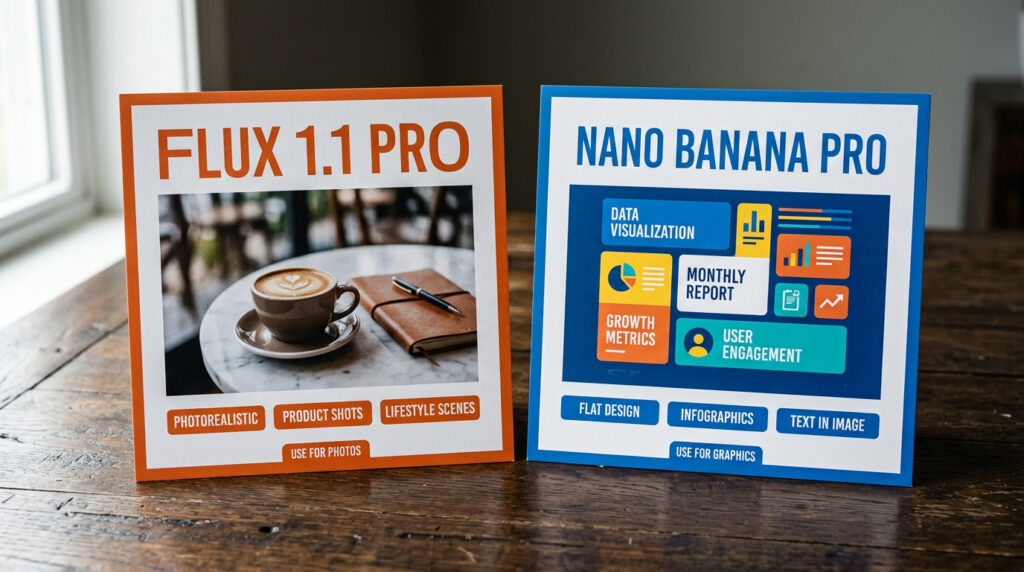
| Criteria | Flux 1.1 Pro | Nano Banana Pro |
|---|---|---|
| Best output style | Photorealistic photos, cinematic scenes, product shots | Flat illustrations, infographics, diagrams |
| Realism quality | Industry-leading (highest Elo benchmark score) | Good but not primary strength |
| Text in images | Improved but unreliable for long text | Best in class — accurate in 100+ languages |
| Speed | Very fast (6x faster than original Flux 1 Pro) | Very fast (Flash-speed generation) |
| Image editing | Limited — primarily a generation tool | Built-in — upload image + text prompt to modify |
| Resolution | Up to 4MP (Ultra tier) | Standard resolution, sufficient for web |
| Built by | Black Forest Labs (ex-Stability AI) | Google DeepMind (Gemini image model) |
| Use for blogs | Hero shots, product photos, lifestyle scenes | Step diagrams, comparison cards, social graphics |
The practical rule: Flux for anything that needs to look like a real photograph. Nano Banana for anything that needs text, icons, or a flat design style. Both are available in GFXToolz AI Studio from the same dashboard.
Use the flux AI image generator for photos and Nano Banana for flat graphics.
How to Use the Flux AI Image Generator on GFXToolz
- Go to gfxtoolz.ai and sign up. Free tier, no credit card required. Basic plan starts at ₹423/month.
- Log into your dashboard and click AI Studio from the main navigation menu.
- In the model selector, choose Flux 1.1 Pro from the list of 40+ available models.
- Write your prompt. For photorealistic results, include five elements: subject, setting, lighting, camera angle, and mood. More on this in the prompt section below.
- Set your aspect ratio before generating: 16:9 for blog header images (1200x630px), 1:1 for Instagram posts, 4:3 for standard product shots, 9:16 for Stories and Reels.
- Click Generate. Image appears in 10–20 seconds.
- Download in high resolution. Before uploading to your blog, compress to WebP using Squoosh (free, browser-based) to reduce file size by 25–40% without visible quality loss.
Generate 3–4 variations of the same prompt and choose the best. Flux output varies slightly each generation — the second or third attempt often has a noticeably better composition than the first. At this speed, that’s not a time cost.
Setup takes under 5 minutes to start using the flux AI image generator on GFXToolz
Plan access:
| Plan | Price | Flux access | Other tools |
|---|---|---|---|
| Free | ₹0 | Limited test generations | Limited AI Studio |
| Basic | ₹423/month | Regular daily access | 100+ SEO, design, AI tools |
| Standard | ₹550/month | Extended access + more models | 120+ tools |
| Premium | ₹846/month | Full access, 50 generations/day | 146+ tools + all AI models |
5 Image Types to Create with Flux AI Image Generator
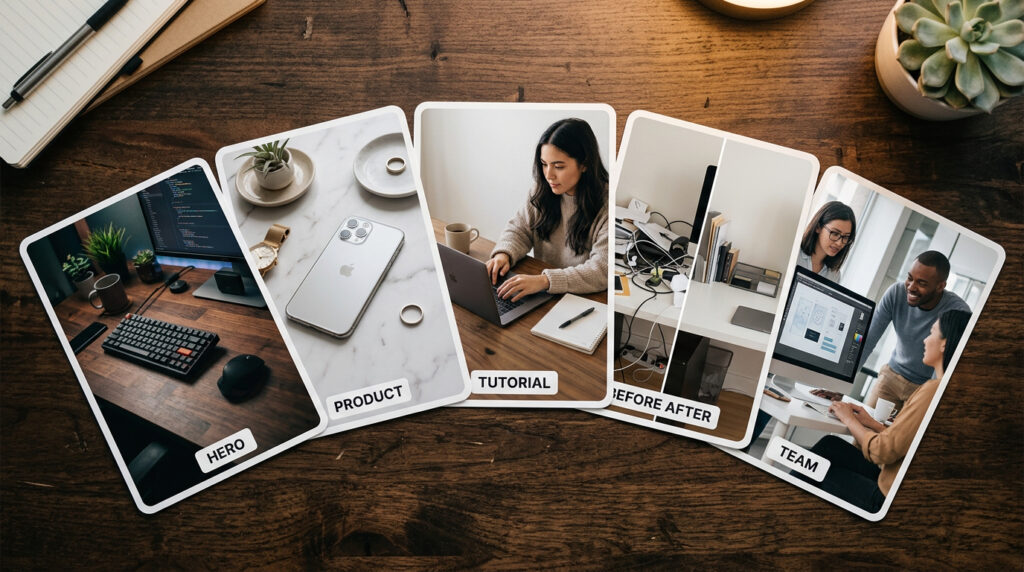
1. Cinematic hero shot
The top image of your blog post — appears in social media previews, browser tabs, and search results. First visual impression of your content.
Prompt:
Cinematic wide photograph, 1200x630px format. A person sitting at a modern desk with a laptop and coffee cup. Golden hour sunlight streaming through large windows on the left. Shallow depth of field. Warm amber and orange tones. The laptop screen glows softly. No text on screen. Photorealistic DSLR quality. Clean modern workspace. Wide 16:9.
Use for: Any blog post needing a professional header. Works for SEO guides, productivity articles, freelancing content, business posts.
Hero shots are the most popular use case for the flux AI image generator
2. Product lifestyle shot
Shows a product in a real-world setting. More engaging than a plain white-background image and important for e-commerce stores showing products in context.
Prompt:
Professional product photography. A sleek black smartphone lying flat on a white marble surface. A small green succulent plant in the background, slightly out of focus. Soft diffused studio lighting from the upper left. Clean shadows. High detail on the phone screen’s dark glass. Shallow depth of field. Photorealistic. 4:3 format.
Use for: E-commerce product pages, tool reviews, app feature announcements, technology posts.
Product lifestyle shots are where the flux AI image generator saves most money
3. Person-at-work scene
Shows a professional in their element. Used for tutorials and guides where you want to convey expertise and real-world context.
Prompt:
Over-the-shoulder view of a person typing on a laptop keyboard. The laptop screen shows colourful analytics charts in blue and green. The room is dim with the laptop screen as the main light source. A notebook and pen are open beside the laptop. Shallow depth of field, background softly blurred. Cinematic mood. Photorealistic. Wide 16:9.
Use for: SEO tutorials, software guides, analytics posts, keyword research guides, any content about digital tools.
Tutorial scenes are a reliable use case for the flux AI image generator
4. Before and after comparison scene
Visual comparison for case studies, improvement posts, or any transformation narrative.
Prompt:
Split photograph divided vertically down the centre by a thin white line. Left side: a cluttered messy desk with papers scattered, a dim laptop showing red warning indicators, moody dark blue lighting. Right side: the same desk clean and organised, bright laptop screen showing green checkmarks and upward arrows, warm golden lighting. Photorealistic. Sharp detail on both sides. Wide 16:9.
Use for: SEO audit results, before/after optimisation comparisons, case studies.
5. Team collaboration scene
Professional group imagery for agency guides, team-focused content, or anything discussing collaboration.
Prompt:
Three people gathered around a large monitor in a modern open office. The monitor displays a project management dashboard with colourful task cards. Natural daylight from floor-to-ceiling windows on the right. Casual professional atmosphere. Diverse group, focused expressions. Shallow depth of field. Warm office tones. Photorealistic. Wide 16:9.
Use for: Agency guides, remote work articles, project management content, team-focused posts.
Flux for e-commerce: product photos without a camera
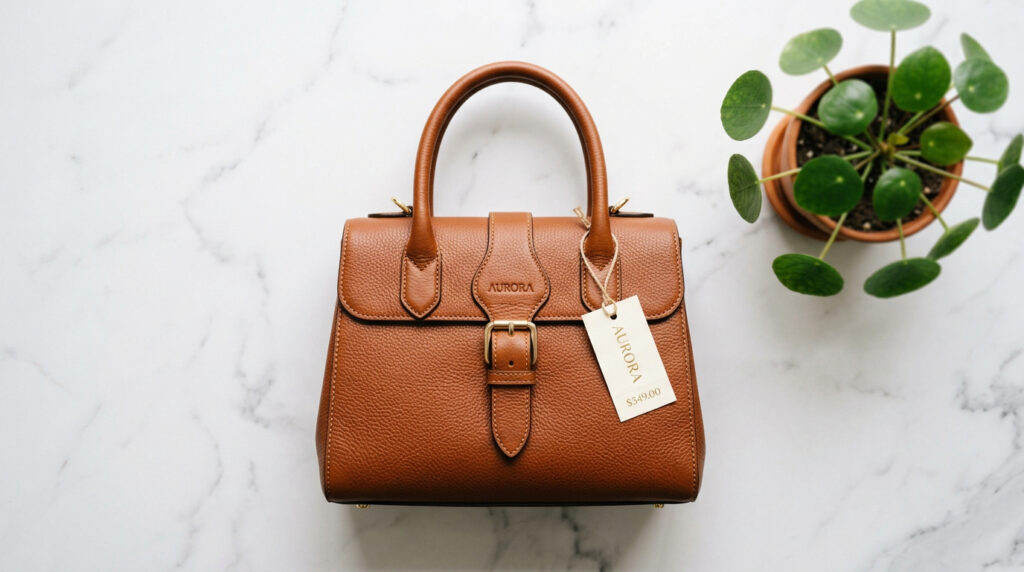
Indian online store owners spend ₹5,000–20,000 per product photoshoot. Flux changes this for several types of visuals.
Flat-lay product shots. Describe your product type and setting, generate professional flat-lay photography. Useful when a new product is arriving and you need listing images before the physical item is available for shooting.
Lifestyle context shots. Show your product in use — a bag being carried through a market, a watch on a wrist at a Mumbai cafe, a skincare product on a marble bathroom shelf. Lifestyle shots are typically the most expensive to produce through traditional photography.
Size and scale reference images. Generate images showing your product beside common objects — a coin, a coffee cup, a hand — so buyers understand the actual dimensions.
Seasonal variants. The same product type in different seasonal settings: Diwali decorations in the background, monsoon outdoor setting, summer beach context. No separate photoshoots for each seasonal campaign.
Colour variant mockups. If you’re adding a new colour option, generate a mockup from a product description before producing the physical item to validate demand.
One important note: AI-generated product images should supplement real product photos, not replace them for primary listing images. Use real photos for your main product listing and Flux-generated images for lifestyle shots, context visuals, and marketing materials.
For the complete e-commerce SEO strategy including how unique images improve product page rankings, see the E-Commerce SEO Guide in this series.
The flux AI image generator replaces expensive product photoshoots for Indian stores
Flux 1.1 Pro vs Midjourney vs DALL-E: which wins for Indian users?
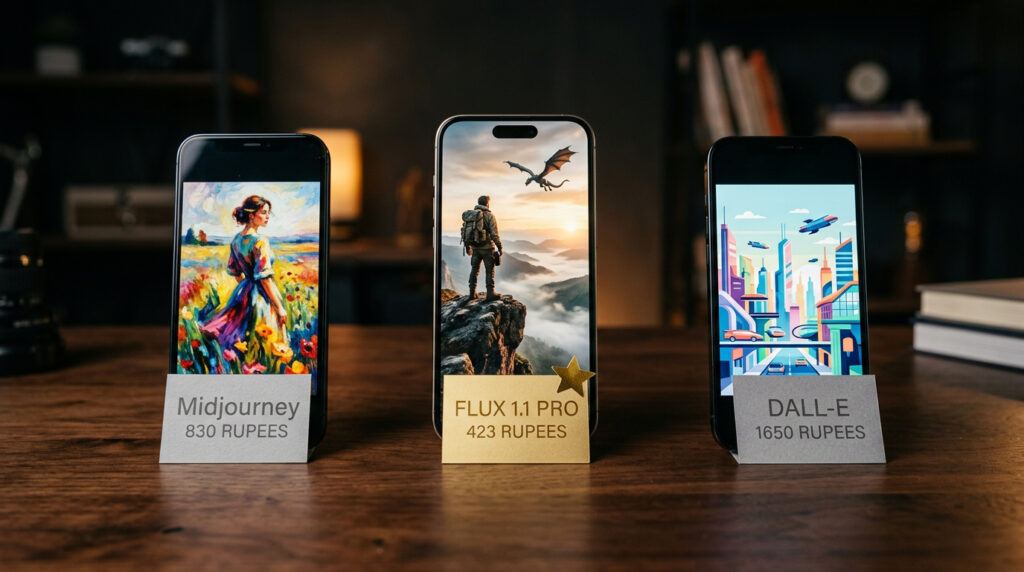
| Feature | Flux 1.1 Pro | Midjourney v6 | DALL-E (GPT Image) | GFXToolz (Flux + 146 tools) |
|---|---|---|---|---|
| Realism quality | Highest Elo benchmark score | Excellent (artistic lean) | Good, improving | Excellent |
| Speed | Very fast | Moderate | Moderate | Very fast |
| Direct price | $0.04/image (API) | $10–120/month | Included in ChatGPT Plus $20/mo | ₹423–846/month |
| INR equivalent | Pay-per-use only | ₹830–9,900/mo | ~₹1,650/mo | ₹423–846/mo |
| Text rendering | Good | Poor | Good | Best (via Nano Banana) |
| Other tools included | None | None | ChatGPT only | 146+ SEO, design, AI tools |
The flux AI image generator beats Midjourney on price and practical value for Indian users
Midjourney at $10/month minimum (~₹830) gives you image generation. GFXToolz Basic at ₹423/month gives you Flux plus Nano Banana plus Semrush plus Ahrefs plus 142 other tools. Midjourney has a slight artistic edge for stylised, painterly output. For photorealism and practical blogging use, Flux matches or exceeds it — and the bundled tools aren’t comparable.
Flux AI Image Generator: Prompt Engineering Tips
The difference between a flat Flux output and something that looks genuinely professional almost always comes down to the prompt.
Start with the shot type. The first words set the visual style for the entire image. “Cinematic wide photograph,” “close-up portrait with shallow depth of field,” “over-the-shoulder view,” “professional product flat-lay,” “aerial view from above.” Without this, Flux defaults to a generic composition.
Define your subject specifically. “A 28-year-old Indian woman in a navy blue kurta, seated at a desk” produces a coherent subject. “A person working” produces a random interpretation.
Set the environment with real-world detail. “In a modern co-working space with exposed brick walls and large windows” beats “in an office.” Environmental specificity gives Flux a clear target for mood and lighting.
Describe lighting explicitly. Lighting is the biggest single factor in photographic quality. “Golden hour sunlight streaming from the left,” “soft diffused studio lighting,” “neon city lights reflecting on wet pavement,” “cool blue moonlight” — each produces a completely different emotional tone.
Add camera and lens details. Flux was trained on photographs, so photographic terminology helps: “shallow depth of field,” “DSLR quality,” “35mm lens,” “f/1.8 aperture,” “bokeh background blur.” Using these terms tends to produce more photographic output.
Include negative prompts. “No text. No logos. No watermarks. No people in background.” Prevents common unwanted elements from appearing.
Set dimensions last. “Wide 16:9 format” for blog headers. “Square 1:1” for Instagram. “Portrait 9:16” for Stories.
Iterate with intent. When the first result misses, change one specific element: adjust the lighting description, simplify the scene, or modify the camera angle. Changing everything at once makes it impossible to know what was causing the problem. One change per attempt is faster than starting from scratch each time.
FAQ
Is Flux 1.1 Pro free to use on GFXToolz?
GFXToolz’s free tier includes limited AI Studio access for testing. Basic at ₹423/month and Premium at ₹846/month give you regular daily access to Flux alongside 100–146 other tools. Direct API access to Flux 1.1 Pro costs approximately $0.04 per image but gives you nothing else. The flux AI image generator free tier lets you test before committing.
What’s the difference between Flux 1.1 Pro and Flux 2.0?
Flux 1.1 Pro is the proven, widely-used model known for speed and photorealism. Flux 2.0 (launched late 2025) adds multi-reference control — the ability to provide reference images to maintain consistent characters or styles across a series. GFXToolz AI Studio updates with the latest available Flux models as they’re released. Flux 2.0 adds character consistency to the flux AI image generator family.
Can I use Flux-generated images commercially?
Images generated through GFXToolz AI Studio can be used commercially — for client blog work, e-commerce listings, marketing materials, and social media. Check GFXToolz’s terms of service for the complete usage policy.
Should I use Flux or Nano Banana for my blog images?
Flux for anything that needs to look like a real photograph: hero shots, product photography, lifestyle scenes, case study visuals. Nano Banana for flat illustrations, infographics, step diagrams, and anything requiring text. Both models are in the same AI Studio dashboard. Use the flux AI image generator for photos and Nano Banana for illustrations.
How does Flux compare to Midjourney for Indian users?
Midjourney starts at $10/month (~₹830) for image generation only. GFXToolz Basic at ₹423/month gives you Flux plus Nano Banana plus Semrush plus Ahrefs plus 142 other professional tools. For stylised, painterly output, Midjourney has an edge. For photorealism and practical blogging use, Flux is comparable or better — and ₹423/month versus ₹830/month for image generation alone makes the choice fairly clear for most Indian users. The flux AI image generator at ₹423/month is cheaper than Midjourney alone.
Flux AI Image Generator: The Bottom Line
Flux 1.1 Pro handles cinematic hero shots, product photography, and lifestyle scenes. Nano Banana Pro handles flat illustrations and infographics. Together in GFXToolz AI Studio, they cover everything a blogger, freelancer, or store owner needs to produce original visuals — without stock photo subscriptions or designer fees.
One Flux-generated hero image replaces a ₹500–1,000 stock photo purchase or a ₹3,000–5,000 custom photoshoot. At 7 images per post and 2 posts per week, that’s ₹7,000–70,000 in replaced costs every month — before factoring in the SEO tools in the same subscription.
The flux AI image generator handles every photorealistic image a blogger needs
Open GFXToolz AI Studio, select Flux 1.1 Pro, and paste the cinematic hero shot prompt from this guide. Start free at gfxtoolz.ai.
Also read:

Leave a Comment