



Published by GFXToolz AI | Last updated: March 2026
Last month, a freelancer in Pune delivered a complete 30-page blog with custom images, SEO optimisation, product videos for an e-commerce client, a brand identity kit, and a month of social media content. Total time: 5 days. Total tool cost: ₹846. The same work quoted by a traditional agency: ₹2,50,000.
Most creators know AI tools exist. They have Canva, maybe ChatGPT. But they’re generating an image here, writing a paragraph there — using individual features rather than running a connected workflow from research to published work.
This post shows you five complete projects you can build using GFXToolz AI tools. Not “try this feature.” Each project includes the exact tools, step-by-step workflow, time estimate, and what it would cost to hire someone else to do the same work.
These five projects show exactly what GFXToolz AI tools can produce in a working week.
GFXToolz AI Tools
Project 1: Complete SEO Blog Post with 7 Custom Images
What you build: A 3,000-word SEO-optimised blog post with 7 unique AI-generated images, optimised headings, FAQ schema, and proper keyword density. Ready to publish on WordPress.
Tools used: Semrush (keyword research), (content gap analysis), Surfer SEO (content optimisation), Nano Banana Pro (5 flat illustrations), Flux 2 (2 photorealistic shots), Canva Pro (social share graphic).
GFXToolz AI tools for blog creation start with keyword research in Semrush.
Workflow
Step 1 — Keyword research (10 minutes) Open Semrush via GFXToolz. Keyword Magic Tool. Find a target keyword with 1,000+ monthly searches and KD under 40. Note 4–5 secondary keywords from the same cluster. Export the list.
Step 2 — Content gap analysis (10 minutes) Open Ahrefs via GFXToolz. Enter your domain and 3 competitor URLs in the Content Gap tool. Review keywords they rank for that you don’t. Identify 5 angles their content misses — these become your original sections.
Step 3 — Outline (10 minutes) Map H2 sections to your secondary keywords. Each H2 should address a distinct aspect of the topic and target one keyword naturally.
Step 4 — Write and optimise (90 minutes) Draft the post. Use AI assistance for research and structure, then add personal expertise, real examples, and original insights. Open Surfer SEO via GFXToolz as you write. Monitor the Content Score in real-time. Add missing NLP terms until you hit 75+.
Step 5 — Generate flat illustrations with Nano Banana Pro (8 minutes) Open AI Studio, select Nano Banana Pro. Generate:
- Featured image (topic illustration with readable text headline)
- Step-by-step process infographic
- Comparison card (your approach vs competitor)
- Data visualisation card (key statistic)
- CTA visual (offer or next step)
Five prompts, one model, roughly 90 seconds per image.
Nano Banana Pro is the GFXToolz AI tools model for flat illustrations and infographics.
Step 6 — Generate photorealistic shots with Flux 2 (5 minutes) Switch to Flux 2 in AI Studio. Generate:
- Hero scene (person working at laptop, golden light)
- Contextual environment shot (workspace, tools, relevant setting)
Flux 2 is the GFXToolz AI tools model for photorealistic hero shots and lifestyle images
Step 7 — Social share graphic in Canva Pro (5 minutes) Open Canva Pro via GFXToolz. Use an Envato template for 1080×1080. Drop in your Nano Banana featured image, add the post title in your brand font, export.
Step 8 — Publish and optimise (15 minutes) Format in WordPress. Add keyword-rich alt text to all 7 images. Add 3–5 internal links. Set up FAQ schema in Rank Math. Rank Math score 80+ before publishing.
Total time: 2.5 hours Traditional cost: ₹8,000–15,000 (SEO writer + designer + SEO specialist) GFXToolz cost: ₹28/day (Premium at ₹846/month ÷ 30 days)
GFXToolz AI tools replace ₹8,000 to ₹15,000 of traditional costs for one blog post.
For the full Nano Banana prompting guide, see Meet Nano Banana: GFXToolz’s Proprietary AI Image Generator.
GFXToolz AI Tools
Project 2: AI Product Video Catalog for Your Store
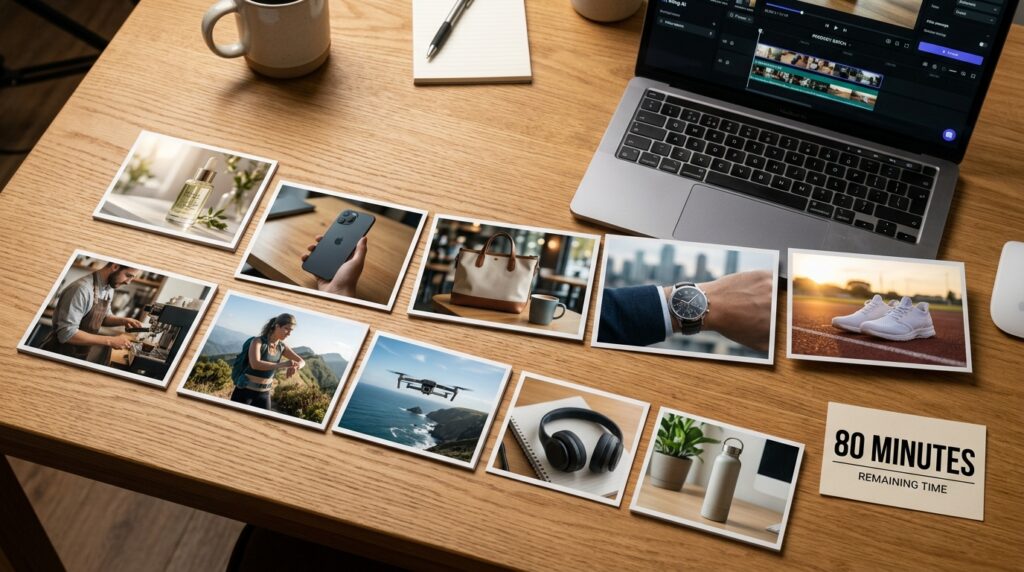
What you build: 10 product demo videos for an e-commerce store. Each video: 10 seconds, 1080p, cinematic quality. No camera, no model, no studio, no editor.
Tools used: Flux 2 (product lifestyle stills as starting frames), Kling 2.5 (cinematic product videos from image-to-video), Canva Pro (matching video thumbnails).
GFXToolz AI tools for product videos combine Flux 2 stills with Kling animation.
Workflow
Step 1 — Generate lifestyle product stills with Flux 2 (2 minutes per product) For each product, open AI Studio and select Flux 2. Generate a high-quality still showing the product in a relevant lifestyle setting. Example for a skincare product: “Luxurious face serum bottle on a white marble surface. Soft bokeh lighting from the left. Small green plant in background. Professional product photography. 16:9 format.”
Step 2 — Animate to video with Kling 2.5 (3 minutes per product) Switch to Kling 2.5 in Image-to-Video mode. Upload the Flux still you just generated. Prompt: “Camera slowly dollies forward toward the product. The cap lifts slightly. Ambient steam rises from the bottle cap. Soft studio lighting. Premium commercial feel. 10 seconds.”
Kling takes your photorealistic still and adds cinematic motion. No physical camera movement required.
Kling 2.5 is the GFXToolz AI tools model that animates product stills cinematically.
Step 3 — Create video thumbnail in Canva Pro (2 minutes per product) Open Canva Pro. Use a product video thumbnail template. Screenshot the best frame from the video, add the product name and price in bold text, export at 1280×720.
Step 4 — Publish to product pages (1 minute per product) Upload the video to your Shopify or WooCommerce product page. Add video schema markup through Rank Math — this can trigger rich results in Google search.
Total time: 80 minutes for 10 product videos Traditional cost: ₹50,000–1,00,000 (videographer + model + studio rental + editor) GFXToolz cost: ₹28/day
GFXToolz AI tools replace ₹50,000 to ₹1,00,000 of videographer costs per project.
For the complete Kling workflow guide, see Kling 2.5 AI Video: Create Pro Videos Without a Camera.
GFXToolz AI Tools Project 3: Complete Brand Identity Kit
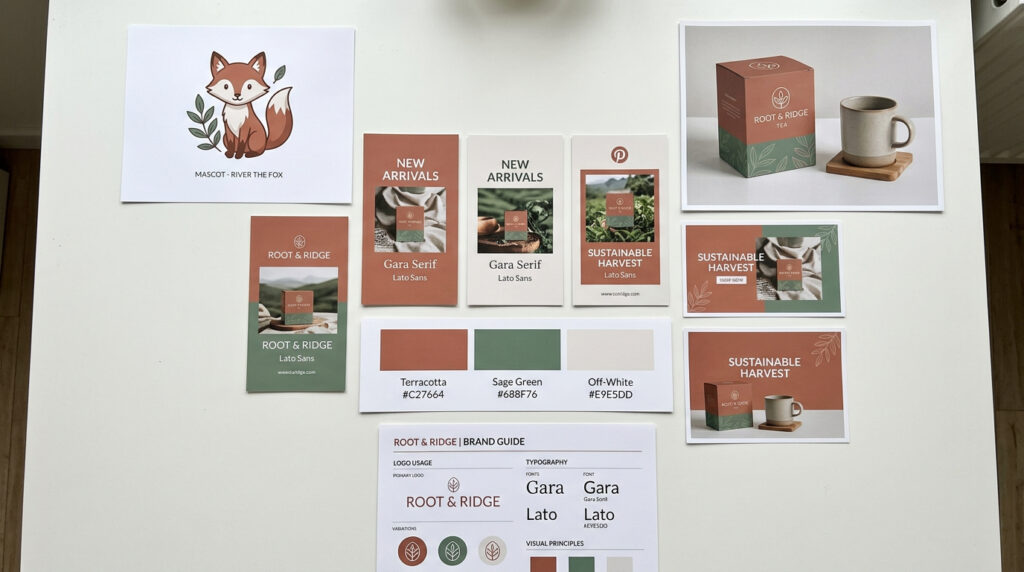
What you build: A visual brand identity for a new Indian D2C brand, delivered as a brand kit PDF. Includes: brand mascot character, product packaging mockup, website hero banner, 5 social media templates, and a compiled brand guide.
Tools used: Nano Banana Pro (brand mascot + infographic visuals), Flux 2 (product packaging mockup + website hero), Canva Pro (social media templates + brand kit PDF), Envato Elements (premium fonts + design assets).
GFXToolz AI tools for brand identity include mascot creation, mockups and social templates.
Workflow
Step 1 — Define brand identity (15 minutes) Write down: 3 brand colours (hex codes), the primary font from Envato’s library, and a brand personality in one sentence. Example: “Playful Indian wellness brand. Warm terracotta, forest green, off-white. Circular, friendly illustration style.”
Step 2 — Generate brand mascot with Nano Banana Pro (10 minutes) Open AI Studio, select Nano Banana Pro. Prompt: “Flat illustration, a friendly illustrated character of a small Indian woman with curly hair in a terracotta kurta. Warm green and terracotta colour palette. Simple bold outlines. Character waving hello. White background. 1:1 square format.”
Generate 3 variations. Pick the one that best represents the brand. This character will appear across all brand touchpoints.
Nano Banana Pro in GFXToolz AI tools generates brand mascots with consistent visual style.
Step 3 — Product packaging mockup with Flux 2 (5 minutes) Open Flux 2. Prompt: “Product photography. A white cylindrical jar with clean minimal label on a wooden tray with dried flowers beside it. Soft natural window light from the right. Warm earthy tones. Photorealistic. 4:3 format.”
Step 4 — Website hero banner with Flux 2 (5 minutes) Still in Flux 2. Prompt: “Wide lifestyle photograph. A 25-year-old Indian woman with natural skin in a white linen outfit sitting cross-legged on a bright window seat. Small plants behind her. Morning light. Calm, clean mood. Photorealistic. Wide 16:9.”
Step 5 — Social media templates in Canva Pro (20 minutes) Open Canva Pro. Import your brand colours, the mascot illustration, and the Envato font. Build 5 templates:
- Instagram feed post (1080×1080)
- Instagram story (1080×1920)
- Facebook cover (820×312)
- YouTube channel art (2560×1440)
- LinkedIn banner (1584×396)
Each template uses the brand colours, mascot in the corner, Envato font for headings.
Step 6 — Compile brand kit PDF in Canva Pro (10 minutes) Create a simple brand guide document showing: colour palette (hex codes), approved fonts, mascot usage guidelines, and template previews. Export as PDF.
Total time: 65 minutes Traditional cost: ₹25,000–75,000 (brand designer + illustrator + brand strategist) GFXToolz cost: ₹28/day.
GFXToolz AI tools replace ₹25,000 to ₹75,000 of brand design agency costs.
For the full Flux prompting workflow, see Flux 1.1 Pro on GFXToolz: Generate Stunning AI Art in Seconds.
GFXToolz AI Tools Project 4: One Month Social Media Content Engine
What you build: 30 days of social media content — 30 Instagram posts with captions, 8 Reels/Shorts clips, 4 carousel graphics, and 4 story templates. All on-brand, all ready to schedule in one sitting.
Tools used: Semrush (trending topic research), Nano Banana Pro (post graphics, carousel slides), Flux 2 (lifestyle images), Kling 2.5 (Reels and Shorts video clips), Wan 2.2 (artistic animated story content), Canva Pro (template formatting, scheduling-ready exports).
GFXToolz AI tools for social media combine four different AI models in one workflow.
Workflow
Step 1 — Content calendar research with Semrush (30 minutes) Open Semrush via GFXToolz. Research 30 trending topics in your niche using Keyword Magic Tool. Filter by growing search volume trend. Build a content calendar: 20 educational posts, 6 promotional posts, 4 personal/behind-the-scenes posts. Assign each a topic, format, and hook line.
Step 2 — Generate post graphics with Nano Banana Pro (30 minutes) Batch generate 20 flat illustration graphics using consistent style prompts — same colour palette, same illustration style, same general composition. For carousel slides, generate each card with matching visual style so the carousel reads as one cohesive piece.
Step 3 — Generate lifestyle images with Flux 2 (15 minutes) Generate 10 photorealistic lifestyle images for variety — product in use, workspace shots, people relevant to your niche. These break the pattern of illustration-only posts.
Step 4 — Create Reels/Shorts with Kling 2.5 (30 minutes) Generate 8 short video clips (10 seconds each) for Reels and Shorts. Mix: product demos, quick tip reveals, before/after content, lifestyle b-roll. Use Image-to-Video mode with the Flux stills you already generated as starting frames — this keeps visual consistency between your static posts and videos.
Kling 2.5 in GFXToolz AI tools creates Reels and Shorts without a camera.
Step 5 — Create story clips with Wan 2.2 (15 minutes) Generate 4 artistic animated story clips. Example prompt for a wellness brand: “Watercolour animation style. A hand gently stirs a bowl of golden turmeric latte. Steam rises slowly. Warm amber tones. Calm, meditative mood. 9:16 vertical format. 8 seconds.”
These story clips feel different from the Kling videos — more artistic, more expressive. A month of content that mixes photorealistic video, flat illustration posts, and animated artistic stories reads as intentional rather than templated.
Wan 2.2 in GFXToolz AI tools creates artistic animated story content.
Step 6 — Format and export in Canva Pro (45 minutes) Format every piece to platform dimensions. Add captions and hashtags (saved as text files). Add CTAs. Export at proper resolutions. Organise into a folder structure by posting date.
Total time: 2 hours 45 minutes for a full month of content Traditional cost: ₹40,000–80,000/month (social media manager + designer + videographer) GFXToolz cost: ₹28/day
GFXToolz AI tools replace ₹40,000 to ₹80,000 per month of social media production.
For the Wan 2.2 artistic video guide, see Wan 2.2 on GFXToolz: The AI Video Model You Haven’t Tried Yet.
GFXToolz AI Tools Project 5: Client Pitch Deck That Wins Business
What you build: A 10-slide pitch deck for landing a new SEO client. Includes competitor analysis data, keyword opportunity report, site audit findings, proposed strategy, projected ROI, and professional visuals on every slide.
Tools used: Semrush (competitor and keyword data), Ahrefs (backlink gap analysis), Nano Banana Pro (custom data visualisation infographics), Flux 2 (professional title slide image), Canva Pro (slide design using Envato templates).
GFXToolz AI tools turn real Semrush and Ahrefs data into a professional pitch deck.
Workflow
Step 1 — Run prospect’s site audit in Semrush (15 minutes) Open Semrush via GFXToolz. Run a Site Audit on the prospect’s website. Export the top 5 critical issues with impact levels. Run Keyword Gap analysis comparing the prospect against their top 2 competitors. Note the 10 highest-volume keywords they’re missing.
Semrush via GFXToolz AI tools runs competitor site audits in 15 minutes.
Step 2 — Pull backlink gap data in Ahrefs (10 minutes) Open Ahrefs via GFXToolz. Compare the prospect’s backlink profile against their top competitor using Link Intersect. Export 10–20 referring domains linking to the competitor but not the prospect. These are the link opportunities your strategy will target.
Step 3 — Generate title slide image with Flux 2 (3 minutes) Open Flux 2. Prompt: “Cinematic wide photograph. A professional consultant reviewing data on a large monitor in a modern office. Charts and graphs on the screen. Warm professional lighting. Shallow depth of field. Wide 16:9.”
Step 4 — Generate data visualisation infographics with Nano Banana Pro (15 minutes) Generate 5 custom infographics for data-heavy slides:
- Site audit health score comparison
- Keyword opportunity gaps (bar chart visual)
- Backlink gap visualisation
- Projected traffic growth timeline
- Pricing comparison table
Consistent dark navy background with teal and white accents across all five.
Nano Banana Pro in GFXToolz AI tools generates custom data visualisation infographics.
Step 5 — Build 10-slide deck in Canva Pro (25 minutes) Use an Envato premium business presentation template. Build slides:
- Title slide (Flux hero image + client name + your name)
- Current SEO health (audit results infographic)
- Keyword gaps (keyword opportunity infographic)
- Competitor comparison (backlink data visual)
- What competitors are doing right (data points from research)
- Proposed strategy (3-month action plan)
- Expected results (traffic projection infographic)
- Investment overview (pricing comparison infographic)
- Case study or proof point
- Next steps (meeting booking CTA)
Step 6 — Export and send (2 minutes) Export as PDF from Canva Pro. Send via email or WhatsApp.
Total time: 70 minutes Traditional cost: ₹15,000–30,000 (SEO consultant pitch prep + presentation designer) GFXToolz cost: ₹28/day
GFXToolz AI tools replace ₹15,000 to ₹30,000 of pitch deck production costs.
For the complete backlink analysis workflow used in this pitch, see The Complete Guide to Backlink Analysis for Beginners.
GFXToolz AI Tools: Total Cost Comparison for All 5 Projects
| Project | Time | Traditional cost | GFXToolz cost |
|---|---|---|---|
| SEO blog post + 7 images | 2.5 hours | ₹8,000–15,000 | ₹28/day share |
| 10 product demo videos | 80 minutes | ₹50,000–1,00,000 | ₹28/day share |
| Brand identity kit | 65 minutes | ₹25,000–75,000 | ₹28/day share |
| 30-day social media content | 2 hours 45 minutes | ₹40,000–80,000 | ₹28/day share |
| Client pitch deck | 70 minutes | ₹15,000–30,000 | ₹28/day share |
| Total | ~8 hours | ₹1,38,000–3,00,000 | ₹846/month |
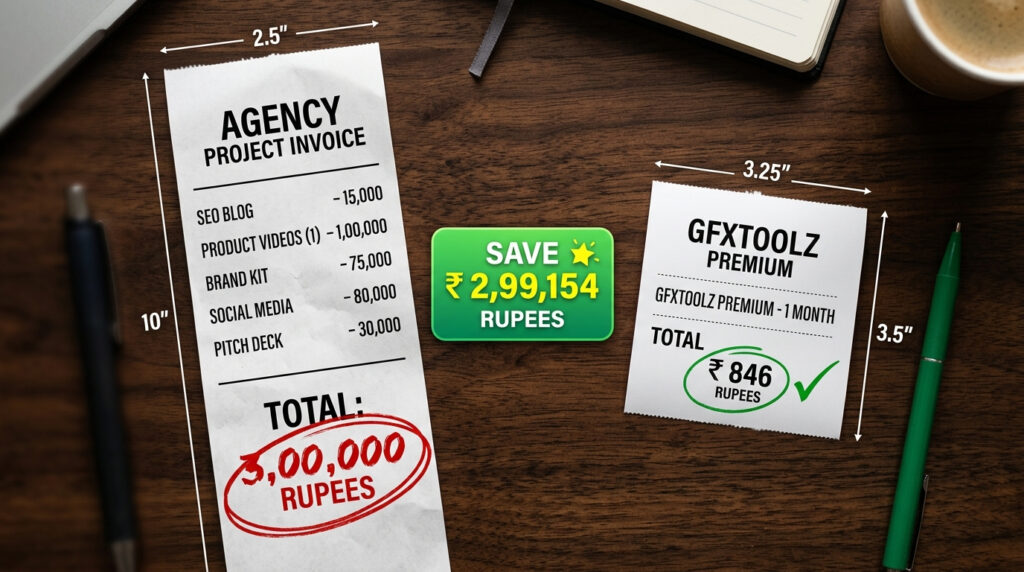
All 5 projects combined take roughly 8 hours and cost ₹846/month — less than a single traditional deliverable in the list above.
FAQ
Do I need design or video skills to build these projects?
No. Every project uses text prompts and drag-and-drop tools in Canva Pro. If you can type a sentence describing what you want and rearrange elements in a template, you can build all five. GFXToolz AI Studio handles the creative generation — your job is directing it with clear prompts. GFXToolz AI tools require only text prompts — no design or video skills needed.
Which GFXToolz plan do I need for all 5 projects?
Premium at ₹846/month gives you full access to all tools used: Nano Banana Pro, Flux 2, Kling 2.5, Wan 2.2, Semrush, Canva Pro, Envato Elements, and Surfer SEO. Basic at ₹423/month covers Projects 1 and 5 (blog post and pitch deck) with moderate AI generation limits. GFXToolz AI tools Premium at ₹846/month covers all 5 projects completely.
Can I use these projects to start a freelance business?
Yes. Project 5 shows how to win clients by running audits and creating professional pitch decks with real data. Once you land clients, Projects 1–4 are the services you deliver. One client at ₹25,000/month funds the ₹846 GFXToolz subscription 29 times over. GFXToolz AI tools generate enough deliverables to run a full freelance business.
How accurate are the time estimates?
These are honest estimates based on following the step-by-step workflows with the exact tools specified. Your first run through each project will take longer as you learn the prompts. By the third time you run the same project type, you’ll be faster than the estimates.
Are the AI-generated outputs professional enough for real clients?
For digital deliverables — blog images, social media content, product demo videos, pitch deck visuals — yes. Flux photorealistic images and Kling video output are indistinguishable from professional production for screen use. For print-resolution work (billboards, large format printing), you may need to upscale or refine outputs further.
GFXToolz AI Tools: The Bottom Line
Five projects. Eight hours. ₹846/month.
The Pune freelancer mentioned at the top isn’t an anomaly. These are workflows Indian freelancers and store owners are running right now. The tools are the same ones in this guide — the difference is using them as a connected pipeline rather than isolated features.
Pick Project 1. Open GFXToolz, find a keyword in Semrush, generate your first blog image with Nano Banana Pro, publish.
GFXToolz AI tools turn 8 hours of work into ₹1,38,000 worth of client deliverables.
Start free at gfxtoolz.ai.
Also read:

Leave a Comment